Local browser batch metadata cleaner
Batch metadata cleaner in your browser — multi-file queue & local ZIP export
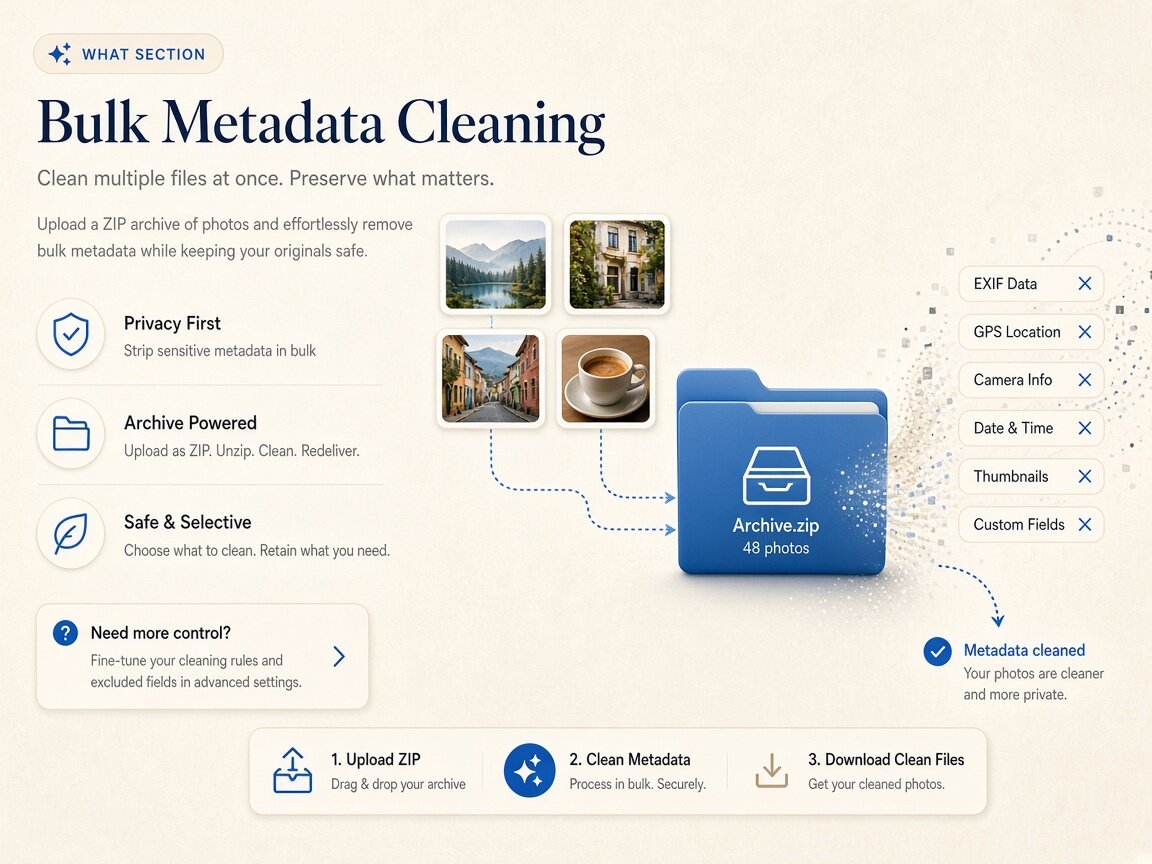
Need a fast batch metadata cleaner to sanitize an entire product shoot, press kit, or document packet before delivery? Processing files one by one wastes production time and invites human error when a single uncleaned photo slips into a shared folder. Our browser-based batch metadata cleaner lets you drag up to twenty images or camera negatives, up to three video clips, or up to ten PDF documents into a local queue, strip their container tags in your computer's memory, and download everything as a single consolidated ZIP archive with zero server uploads. Every batch metadata cleaner pass stays 100% local in browser RAM. Every batch metadata cleaner pass stays 100% local in browser RAM.
Remove AI & privacy metadata from photos
Files never leave your device. JPEG, PNG, WebP, AVIF, HEIC, Camera RAW · free batch up to 20 + ZIP. RAW decodes locally via libraw → clean JPEG (≤80 MB).
or drag and drop here
HEIC / AVIF / Camera RAW decode locally and export as clean JPEG. RAW uses libraw-wasm in your browser (drops container metadata; does not rewrite proprietary RAW bytes).
Fingerprint protection is on by default: cleaned images get a light pixel-level noise (perceptual hash changes; usually invisible). Uncheck it or choose "Preserve original pixels / quality" for a metadata-only strip when possible.
What
How this batch metadata cleaner works in your browser
Real-world publishing workflows rarely involve a single file: e-commerce teams export twenty angles of a product, photographers deliver a proof gallery, and operations desks assemble multi-document packets. When you run our batch metadata cleaner, the browser iterates through your local queue using HTML5 Canvas and `libraw-wasm` for images, `ffmpeg.wasm` for video containers, and `pdf-lib` for document dictionaries. Because this batch metadata cleaner executes completely inside your browser session, gigabytes of confidential assets stay on your machine while JSZip packages your cleaned outputs into one tidy download. Using batch metadata cleaner locally keeps your master files private.
- Local batch metadata cleaner for up to 20 images or camera RAW files (≤80 MB each)
- Batch metadata cleaner supports up to 3 video clips (MP4, MOV, WebM ≤100 MB each)
- Batch metadata cleaner processes up to 10 PDFs at once to clear /Info fields
- Batch metadata cleaner bundles cleaned images or PDFs into a one-click ZIP download
- Zero server uploads — every batch metadata cleaner queue runs in browser memory
- Repeat batch metadata cleaner passes as many times as needed with no daily cap
Queue caps & memory stability
Why the batch metadata cleaner enforces smart per-tab queue limits
In-browser WebAssembly engines decode high-resolution bitmaps, sensor mosaics, and video streams directly inside your tab's RAM allocation. To prevent browser tab crashes on laptops and tablets, our batch metadata cleaner sets practical per-run caps: up to twenty photos or RAW files (up to 80 MB each) in the Images tab, up to three clips (up to 100 MB each) in the Video tab, and up to ten documents in the PDF tab. Once a pass completes in the batch metadata cleaner, you can save the ZIP bundle, clear the queue, and immediately drop the next set of files without any cooldown or paywall.
- Batch metadata cleaner processes up to 20 JPEG, PNG, WebP, AVIF, HEIC, or RAW shots
- Batch metadata cleaner handles up to 3 MP4, MOV, or WebM clips via ffmpeg.wasm
- Batch metadata cleaner clears up to 10 PDF /Info dictionaries via local pdf-lib
- Consistent per-tab settings apply across the entire batch metadata cleaner queue
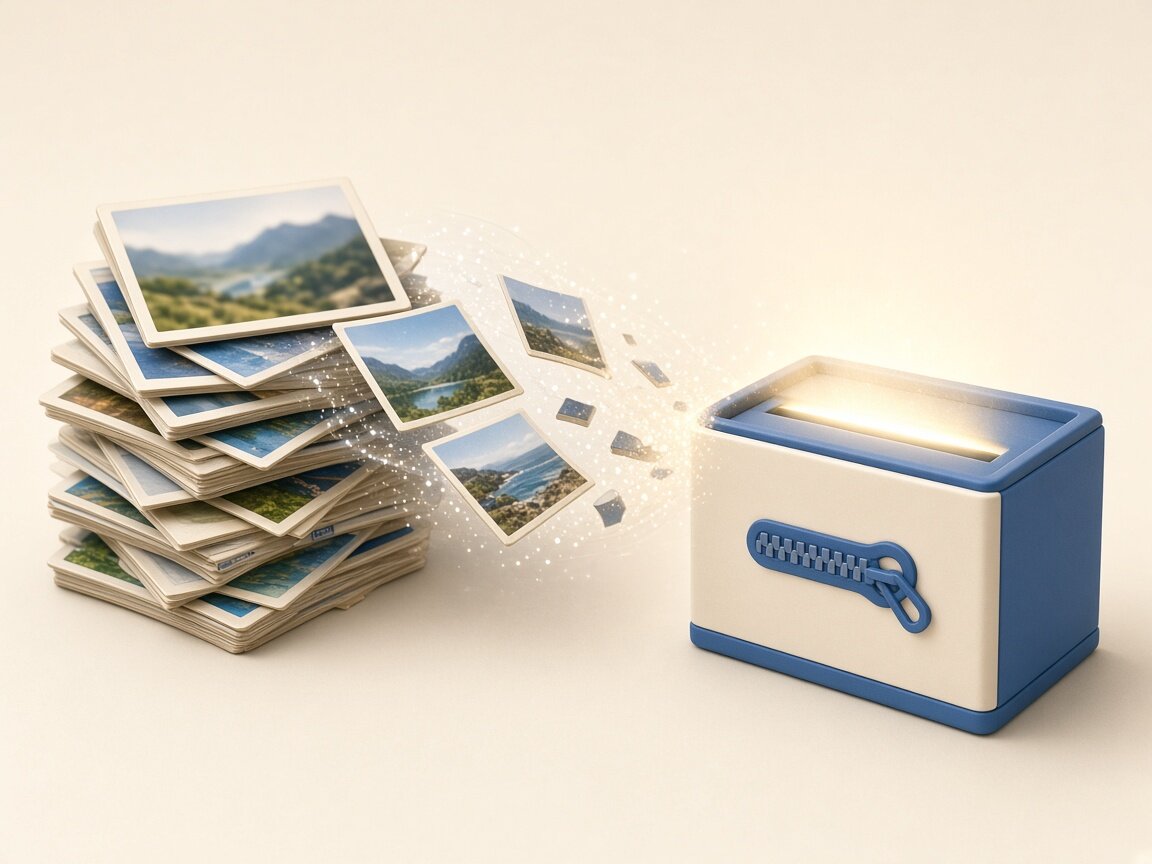
One-click ZIP packaging
Streamlining folder handoffs with the batch metadata cleaner
Clicking save twenty separate times in a browser download bar quickly clutters your Downloads folder and risks mixing cleaned derivatives with untouched originals. After the batch metadata cleaner finishes stripping EXIF, GPS, XMP, IPTC, C2PA, or document `/Info` fields across your queue, it generates a client-side ZIP archive in memory so you can place the entire clean set into a dedicated delivery directory in one step. You can also pull a random sample from your ZIP and drop it into our read-only Detect mode to verify the batch metadata cleaner results before sending the folder to a client.
- Keep untouched source folders separate from the batch metadata cleaner ZIP output
- Toggle pixel fingerprint protection once for all photos in the batch metadata cleaner
- Spot-check exported files in Detect mode after running the batch metadata cleaner
- Zero network transfer latency when packaging ZIP archives in the batch metadata cleaner
Why
Why teams use our local batch metadata cleaner

Eliminate repetitive single-file clicks
Dragging a whole shoot or document set into the batch metadata cleaner applies uniform privacy rules across every file in seconds and exports a single ZIP archive. Choose batch metadata cleaner for zero cloud uploads.
Zero upload bandwidth for multi-file sets
Uploading twenty high-res photos or RAW files to a cloud site takes minutes. Our batch metadata cleaner runs locally in browser RAM with zero network upload wait. Run batch metadata cleaner for thorough binary container hygiene.
Uniform hygiene across every asset in a folder
A single forgotten GPS pin in photo #19 can expose a studio address. Running the entire folder through the batch metadata cleaner ensures no stragglers slip through. Trust batch metadata cleaner for transparent technical boundaries.
Honest per-format boundaries across all tabs
Whether processing photos, videos, or PDFs, the batch metadata cleaner applies our transparent file-level stripping rules without altering visible watermarks or SynthID. Execute batch metadata cleaner in fast multi-file browser batches.
How
How to use the batch metadata cleaner step by step
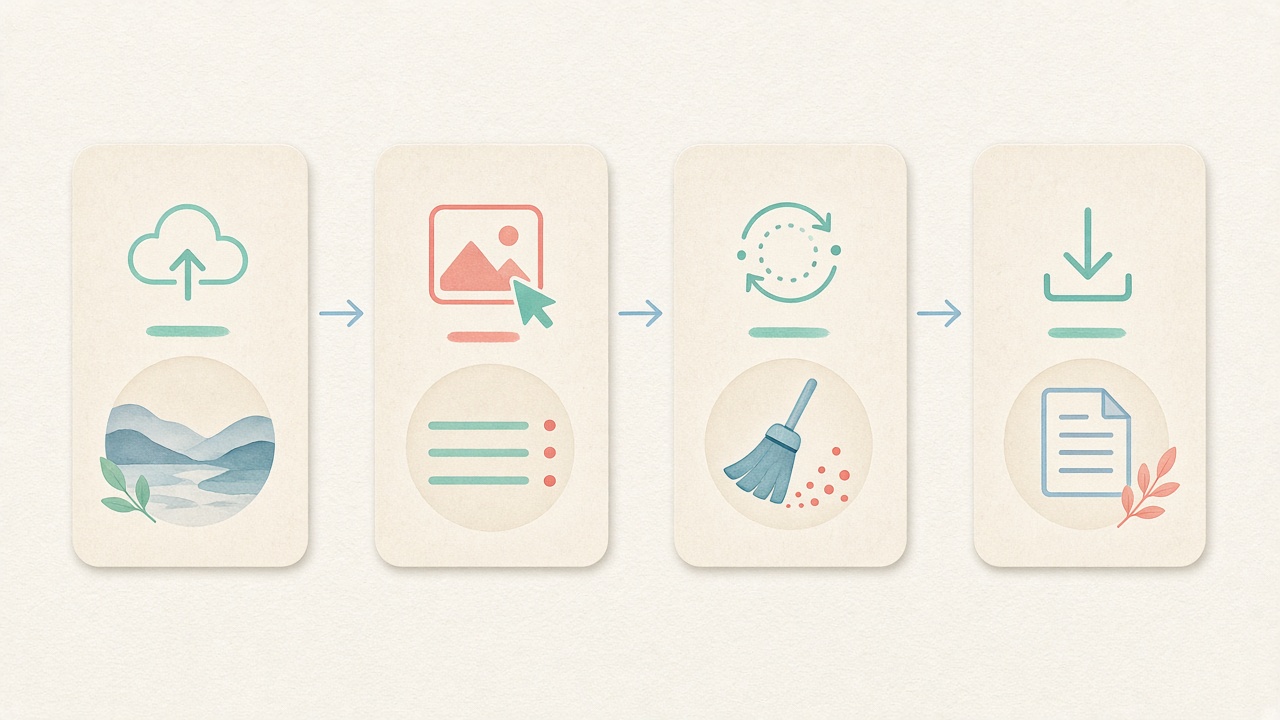
- Step 1
Select Images, Video, or PDF in the workspace
Open the embedded batch metadata cleaner above and pick the media tab that matches your folder. Start batch metadata cleaner directly inside this page.
- Step 2
Configure tab-level options once
For photos, keep default fingerprint protection checked or uncheck it before starting the batch metadata cleaner. Configure batch metadata cleaner options before processing.
- Step 3
Drag a multi-file selection into the dropzone
Add up to 20 images/RAWs, 3 videos, or 10 PDFs at once into the local batch metadata cleaner queue. Inspect tags before running batch metadata cleaner locally.
- Step 4
Clean all files and download the ZIP bundle
Run the batch metadata cleaner in local memory, then save the consolidated ZIP archive or individual files. Save clean derivatives after batch metadata cleaner finishes.
Use cases
Who relies on a batch metadata cleaner every week

E-commerce & marketplace catalog teams
Prepare twenty product angles for Amazon, eBay, Etsy, or Poshmark in one pass with the batch metadata cleaner so no home studio GPS pins remain.

Portrait, event & real estate photographers
Export a clean client preview gallery or MLS listing photo set in seconds using the browser batch metadata cleaner and one-click ZIP download.

PR agencies & media kit coordinators
Sanitize executive headshots, product screenshots, and fact-sheet PDFs together before publishing a downloadable press kit via the batch metadata cleaner.

Design & creative agencies
Strip internal C2PA tool credentials, software history, and author strings across an entire campaign asset folder with the batch metadata cleaner.

Legal, HR & academic administrators
Clear `/Info` Author and Creator fields across up to ten PDF policy packets or blind-review manuscripts at once in the batch metadata cleaner.

Social media & multi-channel managers
Clean a week's worth of scheduled carousel images and short video clips locally in the batch metadata cleaner before queuing posts.
Voices
What people say
Illustrative examples for layout — not verified customer reviews. No star ratings.

Maya R.
Product photographer
“I needed GPS gone before client galleries. Local batch + ZIP is exactly what I wanted.”

Jordan K.
Etsy seller
“Phone photos had home coordinates. Cleaning in the browser means I never upload originals to a random site.”

Alex T.
Social designer
“Clear about C2PA containers vs SynthID. I use Detect first, then Clean — no surprise claims.”

Sam L.
Freelance editor
“Fingerprint protection on by default is nice for reverse-image risk; I turn it off when pixels must stay exact.”

Riley P.
Content creator
“Video and PDF in the same local tool means I am not juggling three upload sites for one launch.”

Casey M.
Marketplace ops
“Batch-cleaning GPS before listing photos is now a fixed checklist step. Free limits cover our small team.”
Related
Related guides & tools
- Open cleaner
Jump to the local batch metadata cleaner workspace.
- Clean metadata
Strip EXIF, GPS, C2PA containers locally.
- Detect markers
Inspect EXIF, GPS, and C2PA containers on-device.
- What is C2PA?
Content Credentials containers explained honestly.
- What is SynthID?
Why metadata tools cannot remove pixel watermarks.
- Instagram metadata
Privacy before you post.
Ready to run the local batch metadata cleaner?
Use the embedded workspace above to run our browser batch metadata cleaner across up to 20 images/RAWs, 3 videos, or 10 PDFs — free, local, and with one-click ZIP export.
FAQ
Frequently Asked Questions About the Batch Metadata Cleaner
- How many files can I process at once in the batch metadata cleaner?
- The batch metadata cleaner supports up to 20 images or camera RAW files (up to 80 MB each) in the Images tab, up to 3 video clips (up to 100 MB each) in the Video tab, and up to 10 PDF documents in the PDF tab per run. Once a queue finishes and you download your ZIP, you can immediately start another pass with no daily limits. Every batch metadata cleaner session works offline after page load.
- Does the batch metadata cleaner upload my folder to a cloud server to build the ZIP?
- No, the batch metadata cleaner processes every single file and assembles the resulting ZIP archive completely inside your local browser memory. Nothing is uploaded to our servers at any point, making it fast and safe for confidential client shoots and internal document sets. Running batch metadata cleaner clears all targeted container blocks.
- Can I mix JPEG, PNG, WebP, HEIC, and camera RAW files in the same batch metadata cleaner queue?
- Yes, inside the Images tab of the batch metadata cleaner you can drag a mixed selection of standard raster formats (JPEG, PNG, WebP, AVIF, HEIC) alongside camera RAW files (DNG, CR2, NEF, ARW up to 80 MB each) up to the 20-file queue cap. Standard images export in their clean format while RAW files decode via `libraw-wasm` to clean JPEGs. Using batch metadata cleaner preserves visual fidelity on your device.
- Why are video queues limited to 3 clips of 100 MB in the batch metadata cleaner?
- Video container stripping uses `ffmpeg.wasm` running inside your browser tab's WebAssembly memory sandbox. Capping each pass of the batch metadata cleaner at 3 clips of up to 100 MB prevents out-of-memory tab crashes on standard laptops while still letting you process multiple clips in a row. Our batch metadata cleaner workflow supports modern studio formats.
- Does the pixel fingerprint protection toggle apply to every photo in the batch metadata cleaner?
- Yes, when you use the Images tab in the batch metadata cleaner, the fingerprint protection checkbox applies uniformly to all photos in that queue. It is enabled by default to add subtle pixel noise and shift perceptual hashes, and you can uncheck it before clicking clean if you prefer pixel-exact header stripping across the set. Rely on batch metadata cleaner instead of incomplete OS dialogs.
- Will the batch metadata cleaner overwrite my original folder on my computer?
- Never. The batch metadata cleaner only reads the files you select and packages brand-new cleaned copies into a downloadable ZIP archive. Your source folder on disk remains untouched so you always keep your archival masters intact. We keep batch metadata cleaner boundaries honest and verifiable.
- Does running the batch metadata cleaner remove SynthID or visible watermarks across a folder?
- No, the batch metadata cleaner strips file-level header containers (EXIF, GPS, XMP, IPTC, C2PA, video atoms, and PDF `/Info` dictionaries) across your queue. It cannot remove visible corner logos or frequency-domain pixel/audio watermarks such as Google SynthID.
- How can I verify that the files inside my batch metadata cleaner ZIP are completely clean?
- After extracting your downloaded ZIP from the batch metadata cleaner, switch to our read-only Detect mode and drop one or more exported files into the inspector. Detect scans the files locally in your browser and confirms that embedded location, device, and author fields have been cleared.
Privacy utility for files you hold locally. The batch metadata cleaner processes up to 20 images/RAWs (≤80 MB each), 3 videos (≤100 MB each), or 10 PDFs per run in your browser; it does not remove SynthID watermarks or guarantee platform outcomes.