Local browser tool to remove C2PA metadata
Remove C2PA metadata in your browser — local JUMBF container cleaner
Need to remove C2PA metadata or embedded Content Credentials containers from files you hold before publishing? Generative design suites, modern cameras, and cloud editors increasingly write JUMBF boxes (such as JPEG APP11 segments and PNG caBX/jumb chunks) carrying provenance manifests and software assertions. Our local browser workspace lets you remove C2PA metadata directly on your device without uploading originals to a remote server. You can remove C2PA metadata across single images or twenty-file batches, inspect container markers in Detect mode first, and export clean copies or a single ZIP archive. Every remove c2pa metadata pass stays 100% local in browser RAM.
Remove AI & privacy metadata from photos
Files never leave your device. JPEG, PNG, WebP, AVIF, HEIC, Camera RAW · free batch up to 20 + ZIP. RAW decodes locally via libraw → clean JPEG (≤80 MB).
or drag and drop here
HEIC / AVIF / Camera RAW decode locally and export as clean JPEG. RAW uses libraw-wasm in your browser (drops container metadata; does not rewrite proprietary RAW bytes).
Fingerprint protection is on by default: cleaned images get a light pixel-level noise (perceptual hash changes; usually invisible). Uncheck it or choose "Preserve original pixels / quality" for a metadata-only strip when possible.
What
What happens when you remove C2PA metadata
Coalition for Content Provenance and Authenticity (C2PA) manifests are stored inside ISO JUMBF superboxes embedded alongside standard image headers. When you remove C2PA metadata in this local cleaner, the browser strips JPEG APP11 JUMBF segments, PNG caBX/jumb chunks, WebP provenance boxes, and companion XMP or PNG text strings that log generator toolchains. Designers and editorial teams often want to remove C2PA metadata from composite deliverables so internal pipeline versions, intermediate editing steps, or tool assertions are not bundled inside every public asset. Because you remove C2PA metadata inside a local HTML5 Canvas and WebAssembly workflow, confidential drafts never leave your hardware. Using remove c2pa metadata locally keeps your master files private.
- Remove C2PA metadata stored in JPEG APP11 JUMBF provenance segments
- Remove C2PA metadata inside PNG caBX and jumb chunk structures
- Remove C2PA metadata alongside XMP history logs and Stable Diffusion text chunks
- Remove C2PA metadata across JPEG, PNG, WebP, AVIF, and HEIC image files
- Honest scope: strips file containers locally; does not remove SynthID pixel watermarks
- Batch processing to remove C2PA metadata on up to 20 files with ZIP download
Container architecture
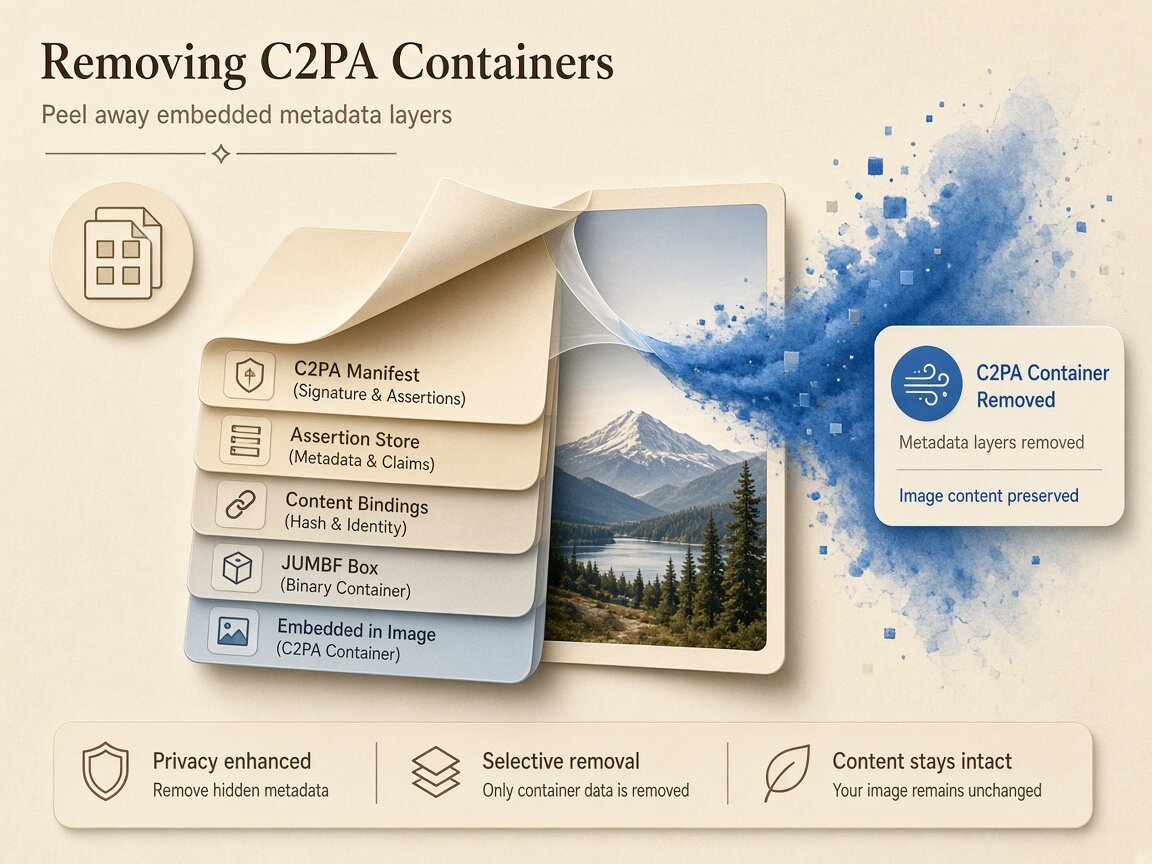
How JUMBF boxes work when you remove C2PA metadata
Unlike classic camera tags that live inside a single APP1 block, Content Credentials use Universal Metadata Box Format (JUMBF) boxes containing claim lists, ingredient hashes, and cryptographic signature payloads. When you remove C2PA metadata in our browser workspace, the cleaner omits those JUMBF boxes and rebuilds a clean image derivative free of APP11, caBX, EXIF, XMP, and IPTC segments. We pair this capability with strict technical honesty: our Detect mode inspects files for container markers without running full cryptographic signature-chain verification, and choosing to remove C2PA metadata clears embedded file containers rather than invisible pixel watermarks.
- Remove C2PA metadata superboxes (c2pa, c2ma, c2cl) from exported image files
- Remove C2PA metadata ingredient manifests that list upstream editing steps
- Remove C2PA metadata and companion XMP DigitalSourceType strings in one pass
- Inspect container presence in read-only Detect mode before you remove C2PA metadata
Honest boundaries
What choosing to remove C2PA metadata can and cannot do
Understanding the difference between file-header provenance and pixel-level watermarking is essential for every creator. When you remove C2PA metadata on your device, you strip the external manifest container attached to the file you hold. However, some platforms and generators also embed frequency-domain pixel watermarks (such as Google SynthID) or run server-side visual classifiers during upload. Therefore, choosing to remove C2PA metadata is a legitimate file-hygiene step for your local assets, not a guarantee against platform AI labels or pixel-level watermark detectors. Keep master files archived offline and remove C2PA metadata on web copies when you want lean, header-free deliverables.
- Remove C2PA metadata containers cleanly from local studio and composite exports
- Does not erase SynthID or learned pixel watermarks woven into color values
- Does not guarantee how social networks or marketplaces label uploaded media
- Remove C2PA metadata while keeping optional perceptual-hash noise under your control
Why
Why remove C2PA metadata locally in the browser

On-device privacy when you remove C2PA metadata
Unreleased brand campaigns and composite artwork should not be uploaded to third-party servers. Here you remove C2PA metadata entirely inside your browser memory so files never leave your computer. Choose remove c2pa metadata for zero cloud uploads.
Strips JUMBF, XMP, and EXIF in one unified pass
Generators frequently write provenance markers across JUMBF boxes, XMP DigitalSourceType fields, and PNG tEXt chunks simultaneously. When you remove C2PA metadata here, all of those header structures are cleared together. Run remove c2pa metadata for thorough binary container hygiene.
Clear distinction between containers and SynthID
We never overpromise: when you remove C2PA metadata, we strip file-level provenance containers honestly while explaining that invisible pixel watermarks like SynthID remain outside the scope of any header cleaner. Trust remove c2pa metadata for transparent technical boundaries.
Read-only Detect mode plus batch ZIP export
Audit whether a file actually carries APP11 or caBX markers in Detect mode first, then batch remove C2PA metadata across up to twenty images and download a single ZIP archive. Execute remove c2pa metadata in fast multi-file browser batches.
How
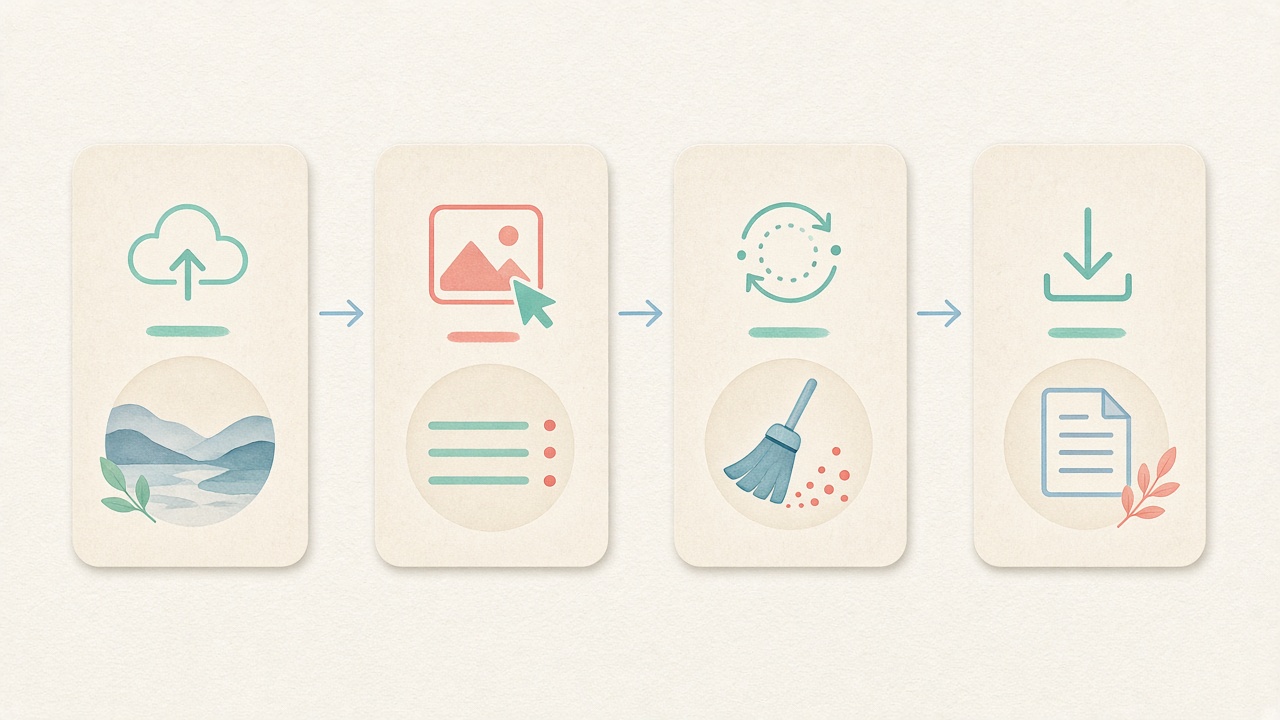
How to remove C2PA metadata step by step
- Step 1
Open the local provenance cleaner
Use the embedded workspace on this page to remove C2PA metadata immediately in your browser with no account wall. Start remove c2pa metadata directly inside this page.
- Step 2
Configure pixel and noise preferences
Keep default light fingerprint protection enabled or uncheck it for a container-only pass when you remove C2PA metadata. Configure remove c2pa metadata options before processing.
- Step 3
Drop files and inspect container markers
Drag up to twenty JPEG, PNG, WebP, AVIF, or HEIC images into the queue to review detected JUMBF and XMP markers before you remove C2PA metadata. Inspect tags before running remove c2pa metadata locally.
- Step 4
Download clean files or a ZIP archive
Run the local cleaner to remove C2PA metadata, confirm the stripped report, and save your clean derivatives individually or as a ZIP bundle. Save clean derivatives after remove c2pa metadata finishes.
Use cases
Who needs to remove C2PA metadata from local files

Brand & commercial retouchers
Composite product visuals that use minor generative background cleanup often inherit full provenance chains. Studios remove C2PA metadata on final client exports to keep asset headers uniform.

Hybrid photographers & digital artists
Combining DSLR plates with AI-assisted color grading or sky replacement writes nested ingredient manifests. Artists remove C2PA metadata locally so intermediate pipeline logs stay private.

Web developers & asset optimizers
Signed JUMBF manifests and ingredient thumbnails can bloat small UI icons or hero banners by dozens of kilobytes. Front-end teams remove C2PA metadata to ship lighter web imagery.

Design agencies & creative directors
Sharing pitch decks or mood boards shouldn't expose every internal software plugin or prompt parameter stored in file headers. Teams remove C2PA metadata before external distribution.

Privacy-focused content publishers
Independent writers and bloggers who illustrate articles with edited imagery remove C2PA metadata and EXIF tags on their own devices before uploading to CMS media libraries.

QA & media workflow engineers
Testing how publishing pipelines handle clean versus manifest-bearing images is easy when engineers can inspect and remove C2PA metadata locally in seconds.
Voices
What people say
Illustrative examples for layout — not verified customer reviews. No star ratings.

Maya R.
Product photographer
“I needed GPS gone before client galleries. Local batch + ZIP is exactly what I wanted.”

Jordan K.
Etsy seller
“Phone photos had home coordinates. Cleaning in the browser means I never upload originals to a random site.”

Alex T.
Social designer
“Clear about C2PA containers vs SynthID. I use Detect first, then Clean — no surprise claims.”

Sam L.
Freelance editor
“Fingerprint protection on by default is nice for reverse-image risk; I turn it off when pixels must stay exact.”

Riley P.
Content creator
“Video and PDF in the same local tool means I am not juggling three upload sites for one launch.”

Casey M.
Marketplace ops
“Batch-cleaning GPS before listing photos is now a fixed checklist step. Free limits cover our small team.”
Related
Related guides & tools
- Open cleaner
Jump to the local workspace to remove C2PA metadata.
- Clean metadata
Strip EXIF, GPS, C2PA containers locally.
- Detect markers
Inspect EXIF, GPS, and C2PA containers on-device.
- What is C2PA?
Content Credentials containers explained honestly.
- What is SynthID?
Why metadata tools cannot remove pixel watermarks.
- Instagram metadata
Privacy before you post.
Ready to remove C2PA metadata locally?
Use the embedded browser workspace above to remove C2PA metadata, JUMBF boxes, and generator tags on your device — free, honest, and with batch ZIP download.
FAQ
Frequently Asked Questions About How to Remove C2PA Metadata
- Can I remove C2PA metadata in my browser without uploading files?
- Yes, you can remove C2PA metadata completely on your own device inside the browser session. Once the page loads, all container scanning and image re-encoding run locally in memory via HTML5 Canvas and WebAssembly. Your artwork and photographs are never uploaded to our servers. Every remove c2pa metadata session works offline after page load.
- What exact container structures disappear when I remove C2PA metadata?
- When you remove C2PA metadata in our cleaner, the browser strips ISO JUMBF superboxes—specifically JPEG APP11 segments and PNG caBX/jumb chunks—along with XMP DigitalSourceType assertions, PNG prompt text chunks, and standard EXIF/IPTC headers. The exported derivative contains clean image pixels without embedded provenance manifests. Running remove c2pa metadata clears all targeted container blocks.
- Will choosing to remove C2PA metadata also remove Google SynthID watermarks?
- No, choosing to remove C2PA metadata only strips file-header containers and structured tag blocks. SynthID and similar learned watermarks are embedded directly into pixel frequency values and cannot be removed by stripping JUMBF or EXIF headers. We highlight this boundary clearly so users never confuse container cleaning with pixel watermark removal. Using remove c2pa metadata preserves visual fidelity on your device.
- Does your tool perform cryptographic signature validation before I remove C2PA metadata?
- No, our Detect and Clean workflows focus on binary container and marker presence rather than running cryptographic certificate-chain validation via c2pa-js. You can see whether C2PA/JUMBF markers and AI software strings exist in the file, and then remove C2PA metadata locally to produce a clean copy.
- If I remove C2PA metadata, will social platforms never label my image as AI?
- We make no guarantees about how Instagram, Meta, TikTok, or marketplaces label uploaded content. While platforms often read embedded C2PA and IPTC markers, they may also use account declarations, pixel watermarks, or visual classifiers. Choosing to remove C2PA metadata cleans the file you hold locally, not third-party platform policy.
- Does the process to remove C2PA metadata change my image pixels?
- Visual dimensions and clarity stay consistent when you remove C2PA metadata. By default, our image cleaner applies a subtle pixel-level noise pass to shift perceptual hashes, which you can uncheck whenever you want to remove C2PA metadata without extra noise perturbation.
- Can I batch remove C2PA metadata across multiple images at once?
- Yes, the free browser workspace lets you batch remove C2PA metadata on up to twenty images per run with no registration wall. After local processing completes, you can save each cleaned file individually or download a single ZIP archive containing the entire batch.
- How can I verify that JUMBF boxes are gone after I remove C2PA metadata?
- After you remove C2PA metadata and download the exported image, open the Detect tab on our site and drop the cleaned file into the inspector. Detect scans the binary headers locally and confirms that JPEG APP11, PNG caBX/jumb, XMP, and EXIF markers are no longer present in the derivative.
Privacy utility for files you hold locally. Choosing to remove C2PA metadata strips JUMBF and header containers; it does not perform cryptographic signature validation, does not remove SynthID pixel watermarks, and never guarantees platform labeling outcomes.