Marker checker
C2PA marker checker & AI metadata detector
Inspect EXIF, GPS, XMP, IPTC, AI-related tags, and C2PA / Content Credentials container markers (JPEG APP11/JUMBF, PNG caBX/jumb, and related strings) — plus video and PDF info — without downloading a cleaned file. Everything stays in your browser.
Honest limit: marker/container detection and strip, not full Content Credentials cryptographic validation (we do not run c2pa-js signature verification).
Detect image metadata in your browser
Files never leave your device. JPEG, PNG, WebP, AVIF, HEIC, Camera RAW · free batch up to 20 + ZIP. RAW decodes locally via libraw → clean JPEG (≤80 MB).
or drag and drop here
HEIC / AVIF / Camera RAW decode locally and export as clean JPEG. RAW uses libraw-wasm in your browser (drops container metadata; does not rewrite proprietary RAW bytes).
What
What Detect reports
Read-only inspection for privacy decisions. See what is embedded before you share — then clean locally if you want those fields gone.
- EXIF / GPS fields
- XMP & IPTC
- AI generator-related tags
- C2PA/JUMBF container markers
- Useful video & PDF info fields
- No SynthID pixel scan

Why
Why detect first

Strip container tags without uploading
This AI metadata cleaner runs in your browser so you can strip container tags and remove EXIF without sending originals to a third-party server. An on-device AI metadata cleaner keeps client catalogs private.
AI metadata cleaner + provenance container in one pass
Use one AI metadata cleaner to remove EXIF camera tags, GPS, XMP/IPTC, and provenance container / C2PA containers from the file you hold — still honest about SynthID limits.
Batch when you need to strip container tags at scale
Photographers and sellers use this AI metadata cleaner to strip container tags across sets, then download a ZIP. Free batch limits apply; no account wall to start.
Fingerprint protection while you remove EXIF
Default image cleaning adds light pixel noise after you remove EXIF / strip container tags, shifting perceptual hashes. Turn it off when you only need a container-only strip.
How
How Detect works
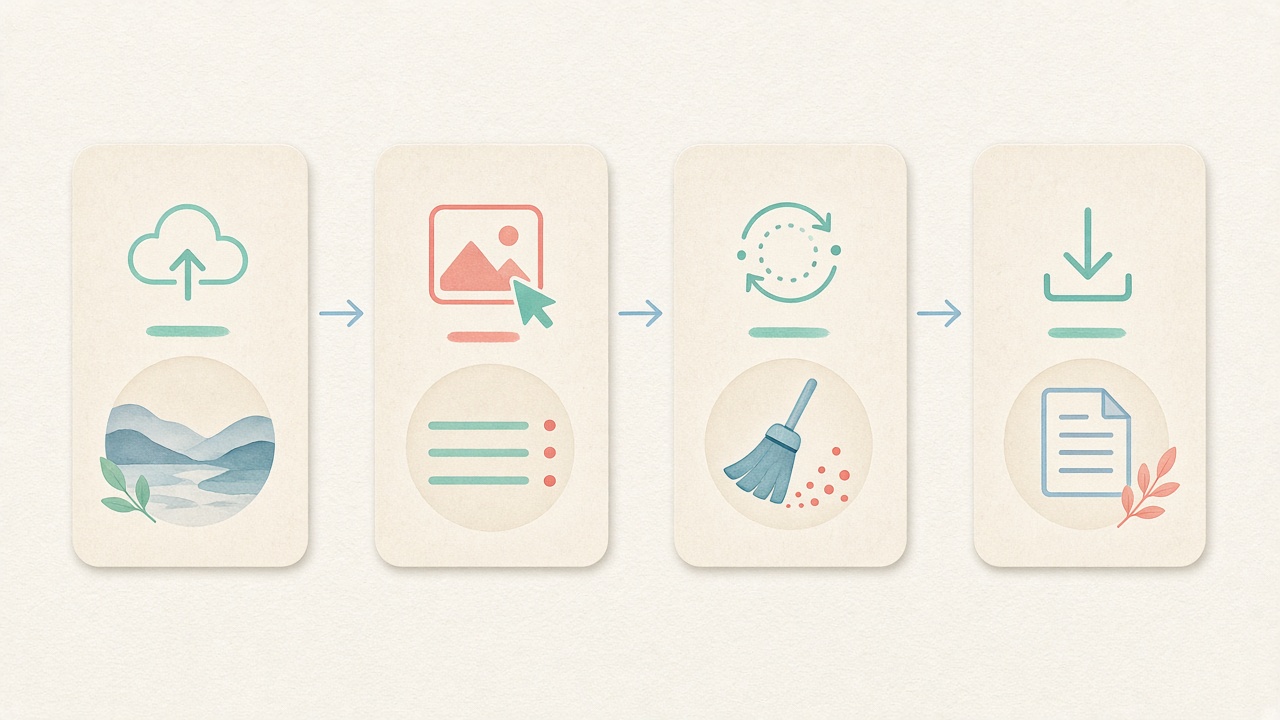
- Step 1
Add a file
Drop an image, video, or PDF to inspect on-device.
- Step 2
Scan markers
We report EXIF, GPS, XMP/IPTC, AI-related tags, and C2PA/JUMBF container markers.
- Step 3
Read the report
Honest scope: container/marker detect — not full Content Credentials crypto validation.
- Step 4
Clean if needed
Jump to the cleaner to strip what you found, still locally.
Related
Related guides & tools
- Clean metadata
Strip EXIF, GPS, C2PA containers locally.
- What is C2PA?
Content Credentials containers explained honestly.
- What is SynthID?
Why metadata tools cannot remove pixel watermarks.
- Instagram metadata
Privacy before you post.
- Meta AI labels
Metadata vs platform labeling.
- Etsy listing photos
Seller privacy checklist.
Found something to strip?
Open the cleaner and process the same file types locally.
FAQ
Detect FAQ
- What does Detect check inside my files?
- Detect performs a read-only local scan for EXIF camera directories, GPS coordinates, XMP sidecar blocks, IPTC editorial tags, AI generator strings, and C2PA/JUMBF container markers in images. It also inspects container-level tags in MP4, MOV, and WebM videos as well as Document Information (/Info) fields in PDF files—all directly inside your browser.
- Is this full Content Credentials cryptographic validation?
- No, Detect provides binary container and marker detection only. It checks whether JPEG APP11/JUMBF boxes, PNG caBX/jumb chunks, or XMP C2PA namespaces are present in the file header, but it does not run c2pa-js to validate X.509 certificate chains or cryptographic signatures.
- Are my photos, videos, or PDFs uploaded to a server during Detect?
- Never. Every byte of the inspection runs locally inside the browser memory of the device that opened this page. Your confidential images, camera RAW files, video clips, and PDF contracts never cross the network.
- Can Detect find Google SynthID or invisible pixel watermarks?
- No, SynthID and similar frequency-domain watermarks are woven directly into pixel or audio values rather than stored in file-header containers. Because Detect inspects file-level metadata headers and JUMBF boxes, it cannot scan for or remove SynthID signals.
- Which image, video, and document formats work in Detect mode?
- You can inspect JPEG, PNG, WebP, AVIF, HEIC, and camera RAW files (DNG, CR2, NEF, ARW) in the image inspector, plus MP4, MOV, and WebM video containers and standard PDF documents. Each format is parsed locally in your browser without requiring an account.
- What should I do after Detect finds EXIF, GPS, or C2PA markers?
- If the report reveals home GPS coordinates, camera serial numbers, author names, or C2PA containers that you do not want to share publicly, switch to the Clean workspace. There you can strip those file-level containers locally and download a clean copy or batch ZIP.
- Will running Detect modify or overwrite my original file on disk?
- No, Detect is strictly a read-only browser inspector that never mutates your source file. Modifying headers or exporting a stripped derivative only happens when you run the Clean workflow and save the new copy.
- Does a missing C2PA or AI marker prove that an image was not made with AI?
- No, the absence of C2PA JUMBF boxes or XMP generator strings only means those specific header containers are not present in the file. Many tools export without headers, and social platforms may still evaluate visual patterns, invisible watermarks, or user disclosures.
Detect is read-only. Marker presence ≠ validated signed Content Credentials. We do not find SynthID. Cleaning happens only when you download a cleaned copy from the Clean page.