Local browser TikTok metadata cleaner
TikTok metadata cleaner in your browser — strip clip & carousel tags locally
Looking for a local TikTok metadata cleaner before uploading vertical clips, photo-mode carousels, or cover thumbnails? Raw smartphone recordings and desktop edits embed QuickTime location pins, creation timestamps, camera serials, NLE encoder strings, and C2PA Content Credentials inside the file container. Our browser-based TikTok metadata cleaner removes those file-level headers directly on your device using `ffmpeg.wasm` for video clips and HTML5 Canvas for carousel photos—with zero cloud uploads. Every tiktok metadata cleaner pass stays 100% local in browser RAM. Every tiktok metadata cleaner pass stays 100% local in browser RAM.

Remove AI & privacy metadata from photos
Files never leave your device. JPEG, PNG, WebP, AVIF, HEIC, Camera RAW · free batch up to 20 + ZIP. RAW decodes locally via libraw → clean JPEG (≤80 MB).
or drag and drop here
HEIC / AVIF / Camera RAW decode locally and export as clean JPEG. RAW uses libraw-wasm in your browser (drops container metadata; does not rewrite proprietary RAW bytes).
Fingerprint protection is on by default: cleaned images get a light pixel-level noise (perceptual hash changes; usually invisible). Uncheck it or choose "Preserve original pixels / quality" for a metadata-only strip when possible.
What
How this TikTok metadata cleaner works in your browser
Short-form creators publish across two primary media formats: vertical MP4/MOV video files and multi-slide Photo Mode carousels. When you run our TikTok metadata cleaner, the Video tab uses in-browser WebAssembly (`ffmpeg.wasm`) to strip container-level atoms such as `com.apple.quicktime.location.ISO6709` GPS coordinates, `creation_time`, device make/model, and software encoder names across up to three clips per batch (100 MB each). Meanwhile, the Images tab of the TikTok metadata cleaner re-encodes up to twenty carousel photos or cover graphics locally to purge EXIF, GPS, XMP, IPTC, and C2PA JUMBF segments before you transfer files to your posting workflow. Using tiktok metadata cleaner locally keeps your master files private.
- Local TikTok metadata cleaner for MP4, MOV, and WebM vertical clips (≤100 MB each)
- TikTok metadata cleaner strips EXIF, GPS, XMP, and C2PA from Photo Mode carousels
- TikTok metadata cleaner clears QuickTime ISO6709 GPS, creation_time, and encoder tags
- Optional pixel-noise protection on carousel photos in the TikTok metadata cleaner
- 100% in-browser TikTok metadata cleaner — drafts never leave your device
- Honest scope: TikTok metadata cleaner strips local headers; never guarantees feed labels
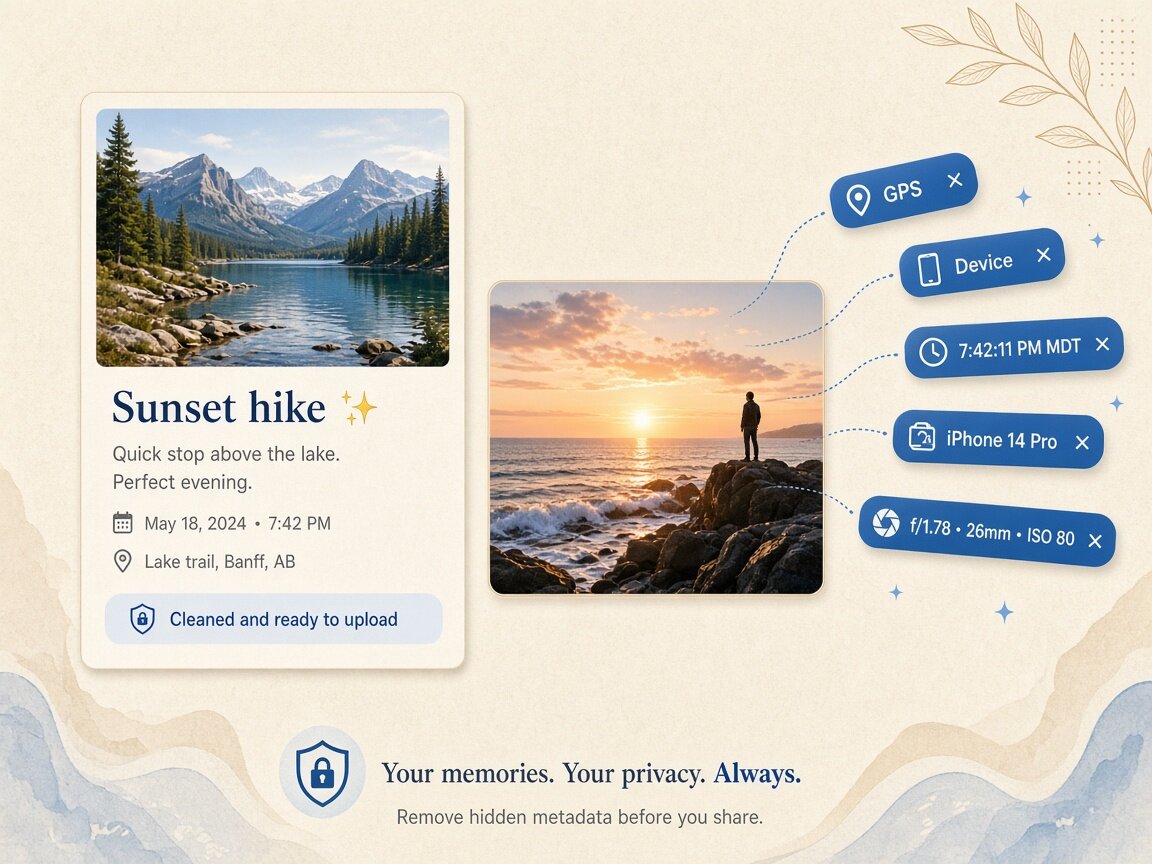
Vertical video & Photo Mode
Why creators run a TikTok metadata cleaner on both MP4s and carousels
Editing a vertical cut in CapCut, Premiere, Final Cut, or an AI video tool leaves software generator tags and project timestamps in the MP4/MOV container header, while camera-roll photos selected for a swipeable Photo Mode carousel carry iPhone or Android GPS coordinates and C2PA manifests. Even when a platform re-encodes public streams, uploading raw masters to cloud team folders, cross-posting bridges, or agency review portals exposes those embedded containers. Passing your exports through our browser TikTok metadata cleaner ensures every outbound file starts with a clean container.
- Use the TikTok metadata cleaner Video tab for up to 3 MP4/MOV clips per pass
- Use the TikTok metadata cleaner Images tab for up to 20 carousel slides at once
- TikTok metadata cleaner strips C2PA Content Credentials and XMP tool histories
- Verify cleaned clips and slides in Detect mode after the TikTok metadata cleaner runs
Honest platform boundaries
What a TikTok metadata cleaner does—and does not—control
Platforms evaluate uploaded media using multiple independent signals: file-level headers (such as C2PA manifests, EXIF, and QuickTime atoms), audio/visual machine-learning classifiers, invisible frequency watermarks, and creator disclosure toggles. Running our TikTok metadata cleaner clears the file-level headers inside the copy on your device so you don't leak home GPS pins or internal software trails. However, our TikTok metadata cleaner does not remove burned-in visual watermarks or Google SynthID signals, and we never guarantee how any platform will label, rank, or distribute your post.
- TikTok metadata cleaner removes file-level containers on your local copy only
- Does not erase visible corner watermarks, subtitles, or SynthID pixel/audio marks
- Never promises suppression of platform AI disclosures or moderation checks
- Keep your original timeline masters archived offline before running the TikTok metadata cleaner
Why
Why use a browser-based TikTok metadata cleaner

Zero upload wait for 100 MB vertical video cuts
Uploading high-bitrate vertical MOV or MP4 cuts to a remote website wastes time. Our TikTok metadata cleaner runs `ffmpeg.wasm` locally in your browser RAM. Choose tiktok metadata cleaner for zero cloud uploads.
Handles both video clips and 20-slide photo carousels
Switch tabs inside the same TikTok metadata cleaner to sanitize MP4 reels alongside JPEG, PNG, WebP, or HEIC carousel slides and export a clean ZIP. Run tiktok metadata cleaner for thorough binary container hygiene.
Protects home studio GPS and device privacy
Filming at home embeds street-level ISO-6709 coordinates in phone videos. The TikTok metadata cleaner strips those location atoms before you share drafts with editors or brands. Trust tiktok metadata cleaner for transparent technical boundaries.
Straightforward honesty about C2PA, SynthID, and labels
We explain clearly what the TikTok metadata cleaner removes at the container level and never peddle fake promises about algorithm reach or platform badge bypass. Execute tiktok metadata cleaner in fast multi-file browser batches.
How
How to use the TikTok metadata cleaner step by step
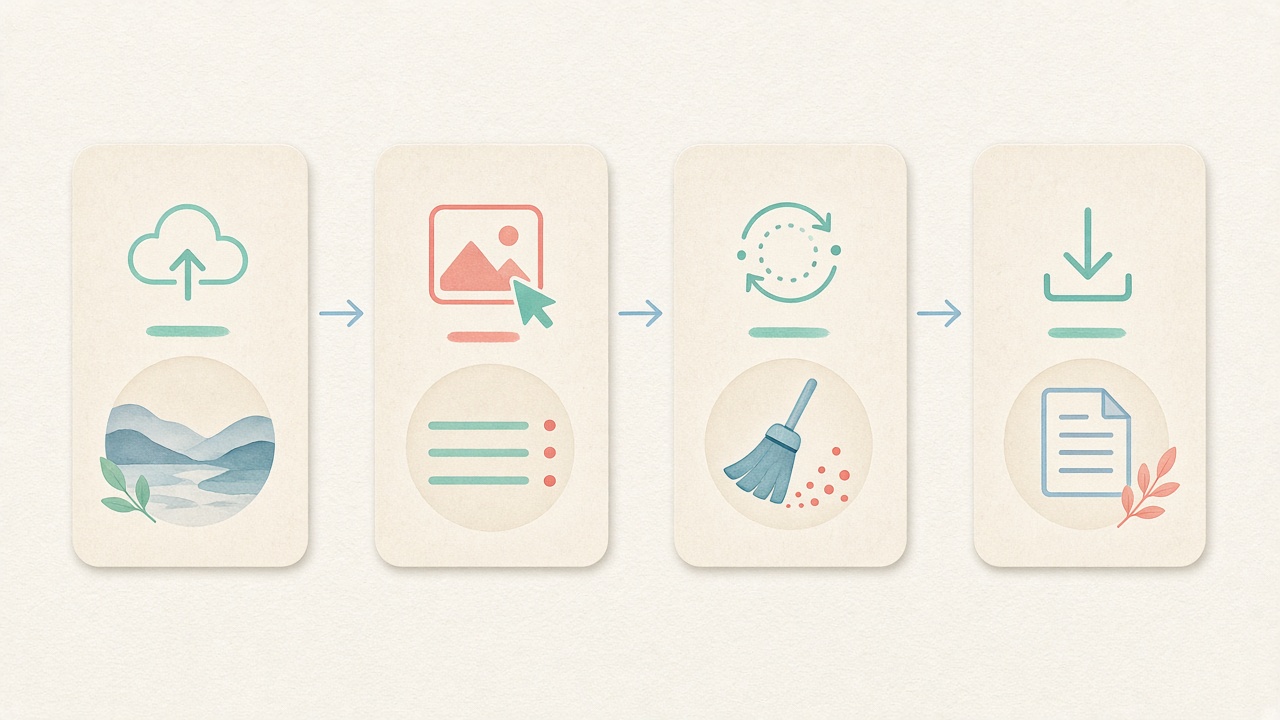
- Step 1
Choose Images or Video in the workspace
Open the embedded TikTok metadata cleaner above and select Images (for carousels) or Video (for MP4/MOV clips). Start tiktok metadata cleaner directly inside this page.
- Step 2
Set optional photo fingerprint protection
For carousel slides, keep default pixel-noise protection on or uncheck it in the TikTok metadata cleaner. Configure tiktok metadata cleaner options before processing.
- Step 3
Drop your clips or carousel slides
Add up to 3 videos (≤100 MB each) or up to 20 photos into the local TikTok metadata cleaner queue. Inspect tags before running tiktok metadata cleaner locally.
- Step 4
Download clean files for your posting workflow
Save your stripped clips or photo ZIP archive from the TikTok metadata cleaner and verify in Detect mode. Save clean derivatives after tiktok metadata cleaner finishes.
Use cases
Who uses our local TikTok metadata cleaner

Short-form vertical video creators
Strip home studio GPS coordinates and creation timestamps from phone MOV/MP4 clips in the TikTok metadata cleaner before sharing drafts.

Photo Mode carousel storytellers
Batch clean up to 20 swipeable carousel images at once in the TikTok metadata cleaner and download a tidy ZIP archive.

UGC creators & brand ambassadors
Deliver clean, unbranded MP4 product clips to sponsor portals without leaking personal device serials by using the TikTok metadata cleaner.

Social media agencies & multi-account managers
Standardize outbound asset folders across client campaigns with a quick pass through the browser TikTok metadata cleaner.

AI & motion-graphics experimenters
Clear container-level C2PA, XMP, and encoder software tags on local renders in the TikTok metadata cleaner while respecting platform rules.

Cross-platform Reels, Shorts & TikTok publishers
Prepare one clean master distribution folder in the TikTok metadata cleaner before scheduling across vertical video networks.
Voices
What people say
Illustrative examples for layout — not verified customer reviews. No star ratings.

Maya R.
Product photographer
“I needed GPS gone before client galleries. Local batch + ZIP is exactly what I wanted.”

Jordan K.
Etsy seller
“Phone photos had home coordinates. Cleaning in the browser means I never upload originals to a random site.”

Alex T.
Social designer
“Clear about C2PA containers vs SynthID. I use Detect first, then Clean — no surprise claims.”

Sam L.
Freelance editor
“Fingerprint protection on by default is nice for reverse-image risk; I turn it off when pixels must stay exact.”

Riley P.
Content creator
“Video and PDF in the same local tool means I am not juggling three upload sites for one launch.”

Casey M.
Marketplace ops
“Batch-cleaning GPS before listing photos is now a fixed checklist step. Free limits cover our small team.”
Related
Related guides & tools
- Open cleaner
Jump to the local TikTok metadata cleaner workspace.
- Clean metadata
Strip EXIF, GPS, C2PA containers locally.
- Detect markers
Inspect EXIF, GPS, and C2PA containers on-device.
- What is C2PA?
Content Credentials containers explained honestly.
- What is SynthID?
Why metadata tools cannot remove pixel watermarks.
- Instagram metadata
Privacy before you post.
Ready to run the local TikTok metadata cleaner?
Use the embedded workspace above to strip container tags from vertical clips and Photo Mode carousels with our browser TikTok metadata cleaner — free and zero uploads.
FAQ
Frequently Asked Questions About the TikTok Metadata Cleaner
- How does the TikTok metadata cleaner work without uploading my videos or photos?
- Our TikTok metadata cleaner runs 100% inside your local browser session. For carousel photos, it uses HTML5 Canvas (and `libraw-wasm` for camera negatives) to re-encode clean copies; for MP4, MOV, and WebM clips, it caches a ~30 MB `ffmpeg.wasm` engine in your browser and strips container tags in local memory. Your files never touch our servers. Every tiktok metadata cleaner session works offline after page load.
- Which tags are removed when I run a clip or photo through the TikTok metadata cleaner?
- On video clips, the TikTok metadata cleaner strips QuickTime and Matroska container tags including ISO-6709 GPS coordinates, `creation_time`, device make/model, encoder software strings, titles, and comments. On carousel images, it strips EXIF, GPS, XMP, IPTC, MakerNotes, and C2PA JUMBF manifests while applying optional pixel-noise fingerprint protection. Running tiktok metadata cleaner clears all targeted container blocks.
- Will using the TikTok metadata cleaner prevent TikTok from adding an AI label?
- We never guarantee how TikTok or any social platform labels or moderates content. While the TikTok metadata cleaner removes file-level C2PA Content Credentials, XMP assertions, and encoder strings from your local file copy, platforms also use audio/visual machine-learning detectors, invisible watermarks, and creator disclosure policies. Using tiktok metadata cleaner preserves visual fidelity on your device.
- Does the TikTok metadata cleaner remove visible watermarks or Google SynthID?
- No, the TikTok metadata cleaner only clears hidden file-header containers and metadata dictionaries. It does not crop or paint over visible corner logos or burned-in captions, and it cannot remove frequency-domain pixel or audio watermarks such as Google SynthID. Our tiktok metadata cleaner workflow supports modern studio formats.
- Why should I use a TikTok metadata cleaner before sending UGC clips to a brand?
- When UGC creators send raw iPhone MOV or Android MP4 files to brands or agencies via Google Drive, Dropbox, or Frame.io, the recipient receives the exact original container—including the creator's home street coordinates inside `com.apple.quicktime.location.ISO6709`. Running clips through the TikTok metadata cleaner first protects your residential privacy. Rely on tiktok metadata cleaner instead of incomplete OS dialogs.
- What are the batch and file-size limits in the TikTok metadata cleaner?
- In the Video tab of the TikTok metadata cleaner, you can process up to 3 MP4, MOV, or WebM clips per batch, with each clip up to 100 MB. In the Images tab for Photo Mode carousels and thumbnails, you can batch clean up to 20 files at once (camera RAWs up to 80 MB each) and download a single ZIP archive. We keep tiktok metadata cleaner boundaries honest and verifiable.
- Does cleaning a video in the TikTok metadata cleaner lower its resolution or frame rate?
- No, the local `ffmpeg.wasm` workflow in the TikTok metadata cleaner strips container-level metadata atoms without changing your video's resolution, aspect ratio, or frame rate. Your vertical 1080p or 4K timeline export stays crisp.
- How can I check that my clip or carousel is clean after using the TikTok metadata cleaner?
- After saving your cleaned video or photo from the TikTok metadata cleaner, switch to our read-only Detect mode and drop the exported file into the inspector. Detect scans the container locally in your browser and confirms that GPS coordinates, EXIF, C2PA, and encoder fields have been cleared.
Privacy utility for files you hold locally. The TikTok metadata cleaner strips file-level headers in your browser; it does not remove visible watermarks or SynthID, and never guarantees platform labeling or distribution outcomes.