Local browser tool to clean PDF metadata
Clean PDF metadata in your browser — free local document info cleaner
Need to clean PDF metadata before sending contracts, academic manuscripts, resumes, or client proposals? Word processors, layout suites, and virtual print drivers automatically populate the Document Information dictionary with your account name, internal file title, software producer, keywords, and creation timestamps. Our browser workspace uses the local engine to clean PDF metadata directly on your device without uploading confidential documents to a remote server. You can clean PDF metadata across up to ten files per batch, inspect fields in Detect mode first, and export clean copies or a ZIP archive. Every clean pdf metadata pass stays 100% local in browser RAM. Every clean pdf metadata pass stays 100% local in browser RAM.
Clear PDF document info in your browser
Files never leave your device. PDF Info dictionary clean via pdf-lib · up to 10 files. Does not claim removal of all embedded XMP/tracking streams.
or drag and drop here
What
What happens when you clean PDF metadata
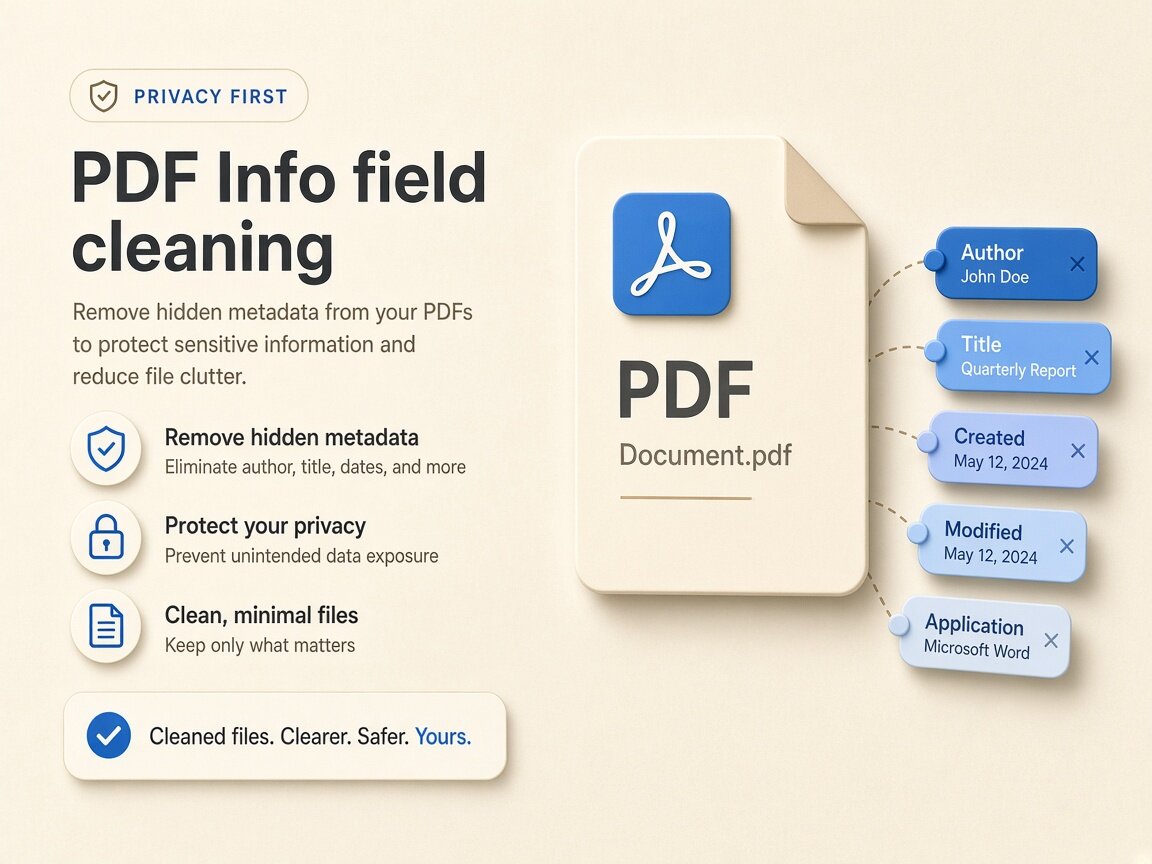
Every standard PDF carries a trailer Document Information (`/Info`) dictionary that logs administrative properties separate from the visible page layout. When you clean PDF metadata in this local workspace, our in-browser the local engine pipeline clears standard Info dictionary keys—specifically Author, Title, Subject, Keywords, Creator, Producer, CreationDate, and ModDate. Professionals search for a trustworthy way to clean PDF metadata because exporting a draft from Microsoft Word, Google Docs, Adobe InDesign, or LaTeX often leaves internal template names or employee usernames attached. Because you clean PDF metadata inside local browser memory, sensitive legal, financial, or peer-review files never leave your hardware. Using clean pdf metadata locally keeps your master files private. Using clean pdf metadata locally keeps your master files private.
- Clean PDF metadata in the Document Information (/Info) dictionary locally
- Clean PDF metadata for Author, Creator, Producer, Title, Subject, and Keywords
- Clean PDF metadata CreationDate and ModDate timestamps in local memory
- Batch queue to clean PDF metadata on up to 10 documents with ZIP download
- Zero cloud uploads when you clean PDF metadata on confidential contracts
- Honest scope: clean PDF metadata /Info fields without claiming deep XMP redaction
Document Info dictionary
Which properties are cleared when you clean PDF metadata
When a document is printed or exported to a portable document, two software identifiers are written into the `/Info` dictionary: `/Creator` (the authoring program such as Microsoft Word, LibreOffice, or Figma) and `/Producer` (the PDF rendering engine such as Quartz PDFContext, Acrobat Distiller, or Skia). Alongside `/Author` and `/Title`, those entries often expose internal filenames like `Draft_v4_Confidential.docx` or OS login names. When you clean PDF metadata in our browser tool, the local engine resets those `/Info` dictionary entries on your device and saves a clean copy without altering your visible text, fonts, or vector graphics.
- Clean PDF metadata `/Author` strings that leak employee or student usernames
- Clean PDF metadata `/Title` and `/Subject` fields holding legacy draft filenames
- Clean PDF metadata `/Creator` and `/Producer` software toolchain identifiers
- Clean PDF metadata `/Keywords`, `/CreationDate`, and `/ModDate` entries locally
Honest PDF scope
Understanding `/Info` dictionary clearing vs deep PDF sanitization
Document security requires clear expectations about what an in-browser cleaner modifies. When you clean PDF metadata here, our the local engine engine clears the standard Document Information dictionary that file-property inspectors and browser document viewers display. We explicitly state that this lightweight pass does not claim to purge every custom embedded XMP packet stream, interactive form script, font subset tag, or improperly redacted text layer hidden beneath black rectangles. If your document also contains embedded raster photos with camera EXIF, you should clean those images before placing them into your layout, and then clean PDF metadata on the final exported document.
- Clean PDF metadata `/Info` fields shown in desktop and browser property dialogs
- Does not claim removal of all custom object-level XMP or tracking streams
- Does not replace true visual redaction for sensitive text inside page content
- Audit `/Info` fields in read-only Detect mode before and after you clean PDF metadata
Why
Why clean PDF metadata locally in the browser

Strict confidentiality when you clean PDF metadata
Uploading NDAs, legal briefs, invoices, or medical forms to a free online PDF site risks data exposure. Here you clean PDF metadata entirely inside your browser via the local engine so documents never leave your machine. Choose clean pdf metadata for zero cloud uploads. Choose clean pdf metadata for zero cloud uploads.
Preserves page layout, fonts, and vector crispness
Rasterizing a PDF just to strip properties ruins searchable text and inflates file size. When you clean PDF metadata here, only the `/Info` dictionary is updated while text and vectors stay crisp. Run clean pdf metadata for thorough binary container hygiene.
Honest boundaries with zero exaggerated claims
We clearly distinguish standard `/Info` dictionary clearing from deep forensic sanitization or visual text redaction so legal and academic users know the exact scope when they clean PDF metadata. Trust clean pdf metadata for transparent technical boundaries.
Free 10-document batch queue with ZIP export
Drop up to ten document files at once, clean PDF metadata across the entire packet in seconds, and download individual files or a consolidated ZIP archive with no account wall. Execute clean pdf metadata in fast multi-file browser batches.
How
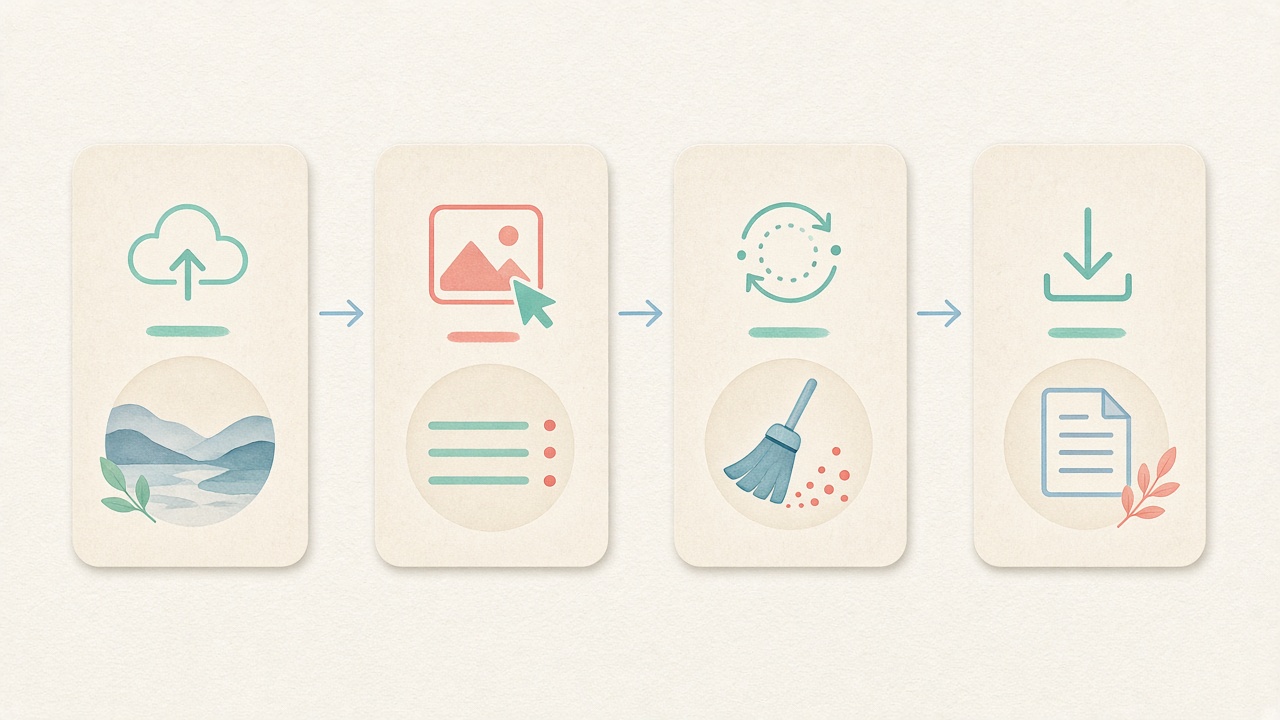
How to clean PDF metadata step by step
- Step 1
Use the embedded PDF workspace
This page opens directly to the document tab so you can clean PDF metadata in your browser with no signup. Start clean pdf metadata directly inside this page.
- Step 2
Drop up to 10 documents
Drag contracts, reports, resumes, or manuscripts into the queue to inspect current `/Info` fields before you clean PDF metadata. Configure clean pdf metadata options before processing.
- Step 3
Run local the local engine cleaning
Click clean to clean PDF metadata in local browser memory while keeping page text and layout intact. Inspect tags before running clean pdf metadata locally.
- Step 4
Download clean PDFs or a ZIP bundle
Save your updated documents one by one or as a single ZIP archive, and optionally verify them in Detect mode. Save clean derivatives after clean pdf metadata finishes.
Use cases
Who needs to clean PDF metadata before sharing

Academic authors & double-blind peer review
Journal submissions require anonymous manuscripts, yet Word and LaTeX exports routinely leave author names in `/Author`. Researchers clean PDF metadata locally before uploading papers.

Job seekers & resume applicants
Exporting a resume from an old template can leave a previous company name or draft title in the document properties. Applicants clean PDF metadata so recruiters see a tidy file.

Consultants, agencies & proposal desks
Client deliverables shouldn't reveal that a proposal was cloned from another client's template filename. Teams clean PDF metadata before emailing pitch decks and statements of work.

Legal, HR & administrative teams
Standardizing outbound policy PDFs, invoices, and notices without exposing individual staff usernames is effortless when staff clean PDF metadata in the browser.

E-commerce sellers & digital download creators
Printable planners, pattern guides, and digital invoices sold online often carry personal computer account names. Sellers clean PDF metadata across product bundles before release.

Public-sector & FOIA publishing workflows
Routine public reports and meeting packets benefit from consistent header hygiene when editors clean PDF metadata locally prior to website publication.
Voices
What people say
Illustrative examples for layout — not verified customer reviews. No star ratings.

Maya R.
Product photographer
“I needed GPS gone before client galleries. Local batch + ZIP is exactly what I wanted.”

Jordan K.
Etsy seller
“Phone photos had home coordinates. Cleaning in the browser means I never upload originals to a random site.”

Alex T.
Social designer
“Clear about C2PA containers vs SynthID. I use Detect first, then Clean — no surprise claims.”

Sam L.
Freelance editor
“Fingerprint protection on by default is nice for reverse-image risk; I turn it off when pixels must stay exact.”

Riley P.
Content creator
“Video and PDF in the same local tool means I am not juggling three upload sites for one launch.”

Casey M.
Marketplace ops
“Batch-cleaning GPS before listing photos is now a fixed checklist step. Free limits cover our small team.”
Related
Related guides & tools
- Open cleaner
Jump to the local workspace to clean PDF metadata.
- Clean metadata
Strip EXIF, GPS, C2PA containers locally.
- Detect markers
Inspect EXIF, GPS, and C2PA containers on-device.
- What is C2PA?
Content Credentials containers explained honestly.
- What is SynthID?
Why metadata tools cannot remove pixel watermarks.
- Instagram metadata
Privacy before you post.
Ready to clean PDF metadata in your browser?
Use the embedded PDF workspace above to clean PDF metadata (`/Info` Author, Title, Creator, Producer, and dates) locally via the local engine — free, private, and with batch ZIP download.
FAQ
Frequently Asked Questions About How to Clean PDF Metadata
- Can I clean PDF metadata without uploading confidential documents to a server?
- Yes, you can clean PDF metadata completely inside your local browser session using our embedded the local engine workflow. Once the page loads, document parsing and `/Info` dictionary clearing run directly in your computer's RAM. Your contracts, resumes, and manuscripts are never uploaded to our servers. Every clean pdf metadata session works offline after page load.
- Which exact fields are cleared when I clean PDF metadata?
- When you clean PDF metadata in this tool, the local engine clears the standard Document Information (`/Info`) dictionary fields: Author, Title, Subject, Keywords, Creator, Producer, CreationDate, and ModDate. These are the primary properties displayed when a recipient opens Document Properties in Acrobat, Preview, or a browser viewer. Running clean pdf metadata clears all targeted container blocks.
- Does choosing to clean PDF metadata remove all embedded XMP streams or hidden page text?
- No, and we state this boundary upfront: when you clean PDF metadata here, the tool clears the standard `/Info` dictionary via the local engine rather than claiming full forensic removal of every custom XMP metadata stream, object attachment, or unredacted text layer on the page. Always use proper redaction tools for visible or covered page text. Using clean pdf metadata preserves visual fidelity on your device.
- Will the process to clean PDF metadata change my fonts, links, or searchable text?
- No, your visible page layout, embedded fonts, vector diagrams, hyperlinks, and selectable text remain untouched when you clean PDF metadata. Because the local engine updates the document structure without rasterizing pages into images, file crispness and accessibility stay intact. Our clean pdf metadata workflow supports modern studio formats.
- Why is it important to clean PDF metadata before submitting a double-blind academic paper?
- Many academic conferences and journals enforce double-blind peer review where reviewers must not know the authors' identities. Even after you delete your name from page one, Microsoft Word and LaTeX document exports frequently keep your full name and institution inside the `/Author` and `/Creator` fields unless you clean PDF metadata first. Rely on clean pdf metadata instead of incomplete OS dialogs.
- What if my PDF contains embedded photographs that still have camera EXIF or GPS tags?
- Clearing the document's `/Info` dictionary when you clean PDF metadata does not rewrite the internal byte streams of JPEG images already placed inside the PDF pages. If your layout includes sensitive smartphone photos, clean those images in our Images tab first before inserting them into your document and exporting the final file. We keep clean pdf metadata boundaries honest and verifiable.
- How many documents can I process at once when I batch clean PDF metadata?
- You can batch clean PDF metadata across up to ten document files at a time for free with no account registration required. After local processing finishes, you can download each cleaned document individually or save all ten files together as a single ZIP archive.
- How can I verify that the Author and Title fields are empty after I clean PDF metadata?
- After you clean PDF metadata and download the updated file, switch to our read-only Detect mode and drop the PDF into the inspector, or press Ctrl+D / Cmd+D in your local document reader. Both checks will confirm that the standard Document Information dictionary fields have been cleared.
Privacy utility for files you hold locally. Choosing to clean PDF metadata clears standard Document Info (/Info) fields via the local engine; it does not claim removal of all embedded XMP/tracking streams or replace visual text redaction.