C2PA
What is C2PA?
C2PA (Coalition for Content Provenance and Authenticity) defines a way to attach signed Content Credentials to media — who created an asset, what tools were used, and how it was edited.

Remove AI & privacy metadata from photos
Files never leave your device. JPEG, PNG, WebP, AVIF, HEIC, Camera RAW · free batch up to 20 + ZIP. RAW decodes locally via libraw → clean JPEG (≤80 MB).
or drag and drop here
HEIC / AVIF / Camera RAW decode locally and export as clean JPEG. RAW uses libraw-wasm in your browser (drops container metadata; does not rewrite proprietary RAW bytes).
Fingerprint protection is on by default: cleaned images get a light pixel-level noise (perceptual hash changes; usually invisible). Uncheck it or choose "Preserve original pixels / quality" for a metadata-only strip when possible.
What
C2PA vs EXIF
EXIF is classic camera metadata. C2PA manifests are provenance records, often stored in JUMBF-style containers inside JPEG/PNG/WebP. They are designed for authenticity workflows, not just camera settings.
- EXIF — camera settings, GPS, timestamps
- C2PA — signed provenance / Content Credentials manifests
- Often stored as JUMBF containers (JPEG APP11, PNG caBX/jumb)
- Different goal than stripping location privacy alone

Why
Why check containers locally

Strip container tags without uploading
This AI metadata cleaner runs in your browser so you can strip container tags and remove EXIF without sending originals to a third-party server. An on-device AI metadata cleaner keeps client catalogs private.
AI metadata cleaner + provenance container in one pass
Use one AI metadata cleaner to remove EXIF camera tags, GPS, XMP/IPTC, and provenance container / C2PA containers from the file you hold — still honest about SynthID limits.
Batch when you need to strip container tags at scale
Photographers and sellers use this AI metadata cleaner to strip container tags across sets, then download a ZIP. Free batch limits apply; no account wall to start.
Fingerprint protection while you remove EXIF
Default image cleaning adds light pixel noise after you remove EXIF / strip container tags, shifting perceptual hashes. Turn it off when you only need a container-only strip.
How
How we check and clean (honest scope)
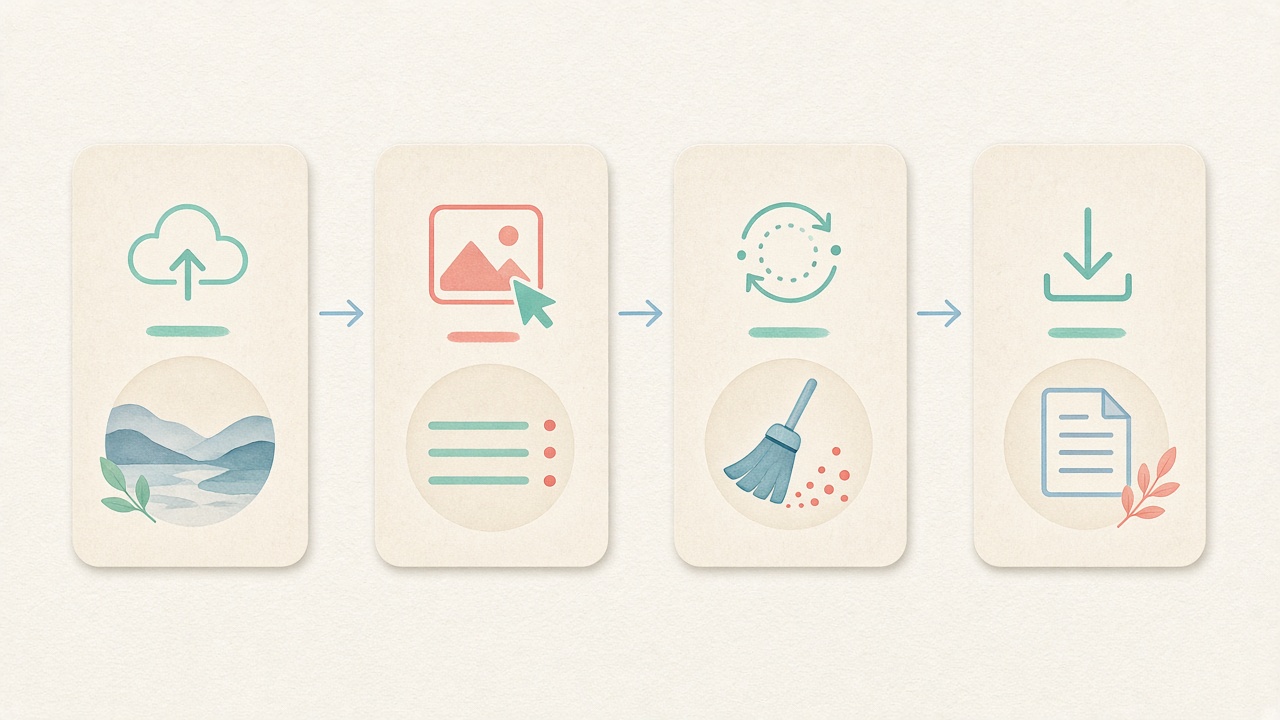
- Step 1
Add a file
Drop an image, video, or PDF to inspect on-device.
- Step 2
Scan markers
We report EXIF, GPS, XMP/IPTC, AI-related tags, and C2PA/JUMBF container markers.
- Step 3
Read the report
Honest scope: container/marker detect — not full Content Credentials crypto validation.
- Step 4
Clean if needed
Jump to the cleaner to strip what you found, still locally.
Details
More context
Checking and cleaning
Use our marker checker to see whether credentials-like containers appear — for example JPEG APP11/JUMBF segments, PNG caBX/jumb chunks, or related strings. That is container/marker detection, not full Content Credentials cryptographic validation.
The cleaner strips those containers when possible and, when needed, canvas re-encodes so pixels are rebuilt without the original metadata containers.
Related
Related guides & tools
- Clean metadata
Strip EXIF, GPS, C2PA containers locally.
- Detect markers
Inspect EXIF, GPS, and C2PA containers on-device.
- What is SynthID?
Why metadata tools cannot remove pixel watermarks.
- Instagram metadata
Privacy before you post.
- Meta AI labels
Metadata vs platform labeling.
- Etsy listing photos
Seller privacy checklist.
Check or strip C2PA containers
Detect markers on-device, then clean locally if you want those containers gone from your copy.
FAQ
FAQ
- What does Detect check inside my files?
- Detect performs a read-only local scan for EXIF camera directories, GPS coordinates, XMP sidecar blocks, IPTC editorial tags, AI generator strings, and C2PA/JUMBF container markers in images. It also inspects container-level tags in MP4, MOV, and WebM videos as well as Document Information (/Info) fields in PDF files—all directly inside your browser.
- Is this full Content Credentials cryptographic validation?
- No, Detect provides binary container and marker detection only. It checks whether JPEG APP11/JUMBF boxes, PNG caBX/jumb chunks, or XMP C2PA namespaces are present in the file header, but it does not run c2pa-js to validate X.509 certificate chains or cryptographic signatures.
- Are my photos, videos, or PDFs uploaded to a server during Detect?
- Never. Every byte of the inspection runs locally inside the browser memory of the device that opened this page. Your confidential images, camera RAW files, video clips, and PDF contracts never cross the network.
- Can Detect find Google SynthID or invisible pixel watermarks?
- No, SynthID and similar frequency-domain watermarks are woven directly into pixel or audio values rather than stored in file-header containers. Because Detect inspects file-level metadata headers and JUMBF boxes, it cannot scan for or remove SynthID signals.
- Does stripping C2PA containers validate or forge credentials?
- Neither. We remove container/marker bytes from the file you hold (and may canvas re-encode). We do not validate signature chains and we do not create new Content Credentials.
- Will platforms treat my file differently after strip?
- No guarantee. Platforms may use other signals. Removing containers is a privacy/control choice for the file you hold.
- Is this the same as removing SynthID?
- No. SynthID-style marks are pixel-domain. See our SynthID explainer. Metadata/container tools cannot remove them.
- Do you run c2pa-js?
- No. Marker/container detect and strip only — not full cryptographic Content Credentials validation.
Educational privacy guidance only. We do not remove SynthID or invisible pixel watermarks, do not validate Content Credentials cryptographically, and do not guarantee platform labeling outcomes. No bypass-detection advice.