Local browser RAW metadata cleaner
RAW metadata cleaner in your browser — decode camera files to clean JPEG
Looking for a local RAW metadata cleaner before sharing studio proofs, lens tests, or travel shots? Digital negative files from Canon, Nikon, Sony, Fujifilm, and Leica pack extensive sensor headers, body serial numbers, shutter counts, and GPS pins alongside uncompressed sensor data. Our browser-based RAW metadata cleaner uses WebAssembly (`libraw-wasm`) to decode your camera file directly on your device and export a clean, tag-free JPEG derivative without uploading gigabytes of studio masters. You can run this RAW metadata cleaner on files up to 80 MB each, batch up to twenty shots, and keep your original negatives untouched on disk. Every raw metadata cleaner pass stays 100% local in browser RAM. Every raw metadata cleaner pass stays 100% local in browser RAM.
Remove AI & privacy metadata from photos
Files never leave your device. JPEG, PNG, WebP, AVIF, HEIC, Camera RAW · free batch up to 20 + ZIP. RAW decodes locally via libraw → clean JPEG (≤80 MB).
or drag and drop here
HEIC / AVIF / Camera RAW decode locally and export as clean JPEG. RAW uses libraw-wasm in your browser (drops container metadata; does not rewrite proprietary RAW bytes).
Fingerprint protection is on by default: cleaned images get a light pixel-level noise (perceptual hash changes; usually invisible). Uncheck it or choose "Preserve original pixels / quality" for a metadata-only strip when possible.
What
How this RAW metadata cleaner handles camera files
Proprietary sensor files—such as Adobe DNG, Canon CR2/CR3, Nikon NEF, Sony ARW, Fujifilm RAF, and Olympus ORF—are structured as TIFF/EP containers where optical calibration tables and private MakerNotes sit right next to sensor mosaic bytes. Mutating those proprietary binary structures in place can corrupt demosaicing tables and make the archive unreadable in Lightroom or Capture One. Instead, our RAW metadata cleaner decodes the image locally in your browser via `libraw-wasm` and renders a clean, high-resolution JPEG stripped of EXIF, GPS, XMP, IPTC, and MakerNote records. Photographers rely on this RAW metadata cleaner when they want a fast, zero-upload way to share proofs while keeping untouched camera masters archived offline. Using raw metadata cleaner locally keeps your master files private.
- Local RAW metadata cleaner powered by libraw-wasm inside your browser
- Supports DNG, CR2, NEF, ARW, RAF, ORF, and RW2 files up to 80 MB per shot
- RAW metadata cleaner exports a clean, high-compatibility JPEG derivative
- Never rewrites or risks corrupting proprietary camera master bytes on disk
- Strips body serials, shutter counts, lens calibration tags, and GPS pins
- Batch RAW metadata cleaner workflow for up to 20 files with ZIP download
Why decode to JPEG
Why our RAW metadata cleaner exports clean JPEGs instead of mutating masters
Camera manufacturers store non-standard MakerNote offsets inside CR2, NEF, and ARW headers that point directly to sensor black-level, vignette, and phase-detect arrays. If an aggressive script overwrites byte offsets inside a master negative, desktop developers often refuse to open the file. Using a browser RAW metadata cleaner that decodes the sensor data via `libraw-wasm` and writes a fresh JPEG solves both problems at once: your master negative stays 100% intact in your local folder, and the exported proof carries zero camera serials, exposure dictionaries, or location coordinates. You can verify the exported derivative in Detect mode right after running the RAW metadata cleaner.
- RAW metadata cleaner preserves your original negative untouched on local storage
- RAW metadata cleaner eliminates vendor MakerNote serials and shutter counters
- RAW metadata cleaner removes embedded preview JPEGs and XMP sidecar packets
- RAW metadata cleaner delivers web-ready JPEGs that open on any client device
Studio & field workflow
Using the RAW metadata cleaner on shared laptops and field shoots
When tethered on location or working from a borrowed laptop without a full desktop darkroom installed, exporting quick client previews from a memory card can be a hassle. Opening this browser RAW metadata cleaner lets you drag up to twenty camera files (up to 80 MB each) straight from your SD or CFexpress card, decode them in local memory, and hand over a clean ZIP archive of JPEGs in moments. Because the RAW metadata cleaner executes entirely inside your browser session after loading the WebAssembly decoder, unreleased commercial shoots and private portraits never touch an external cloud server.
- Run the RAW metadata cleaner directly from memory cards on any modern browser
- Keep default pixel-noise protection on or uncheck it in the RAW metadata cleaner
- Audit exported JPEGs in read-only Detect mode after the RAW metadata cleaner runs
- Combine standard JPEG/PNG/HEIC files and camera negatives in the same batch queue
Why
Why use a local browser RAW metadata cleaner

No 50 MB cloud uploads with this RAW metadata cleaner
Uploading uncompressed sensor files over hotel or studio Wi-Fi is slow and risky. Our RAW metadata cleaner decodes files locally in browser RAM via libraw-wasm so originals never leave your computer. Choose raw metadata cleaner for zero cloud uploads.
Zero risk of corrupting archival negatives
In-place byte editing can break proprietary TIFF/EP pointers. This RAW metadata cleaner reads your source file safely and writes a brand-new, clean JPEG copy. Run raw metadata cleaner for thorough binary container hygiene.
Purges deep MakerNotes and shutter counts
Camera bodies hide internal serial numbers, lens firmware, and total actuation counts inside vendor blocks. The RAW metadata cleaner omits every header block when generating your clean JPEG. Trust raw metadata cleaner for transparent technical boundaries.
Up to 80 MB per file and 20-shot batch ZIP export
Drop up to twenty high-resolution camera negatives (up to 80 MB each) into the RAW metadata cleaner and download individual JPEGs or a single consolidated ZIP archive. Execute raw metadata cleaner in fast multi-file browser batches.
How
How to use the RAW metadata cleaner step by step
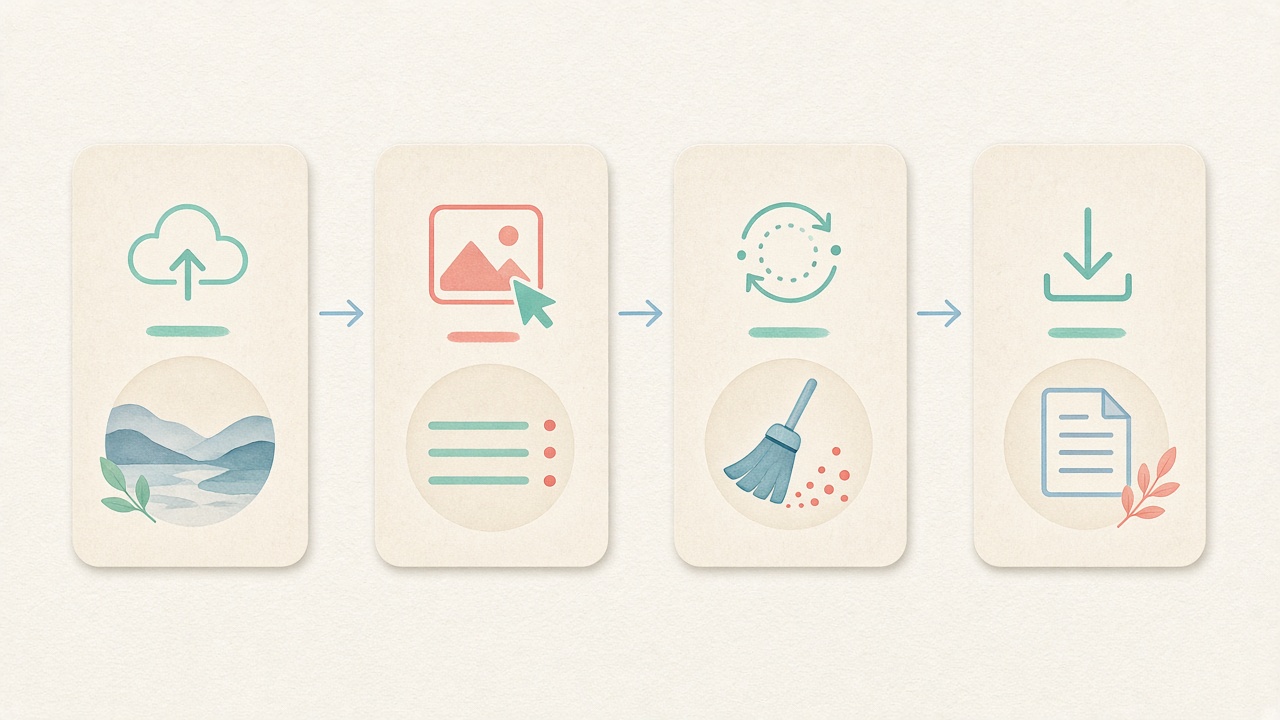
- Step 1
Open the local RAW metadata cleaner
Scroll to the embedded Images workspace on this page to launch the RAW metadata cleaner with no account signup. Start raw metadata cleaner directly inside this page.
- Step 2
Choose pixel and hash options
Keep default fingerprint protection active or uncheck it before running the RAW metadata cleaner. Configure raw metadata cleaner options before processing.
- Step 3
Drop DNG, CR2, NEF, or ARW files
Drag up to twenty camera files (≤80 MB each) into the RAW metadata cleaner queue for local libraw-wasm decoding. Inspect tags before running raw metadata cleaner locally.
- Step 4
Download clean JPEG derivatives or a ZIP
Let the RAW metadata cleaner render tag-free JPEGs locally, then save them one by one or as a single ZIP bundle. Save clean derivatives after raw metadata cleaner finishes.
Use cases
Who uses a RAW metadata cleaner before sharing
Commercial & portrait photographers
Send quick, unbranded proof JPEGs from a shoot without leaking camera serial numbers, shutter counts, or lighting ratios—just run selects through the RAW metadata cleaner.

Secondhand camera & lens sellers
When buyers ask for sample shots from a lens, sellers use the RAW metadata cleaner to share clean full-resolution JPEGs without exposing residential GPS coordinates.

Photojournalists & field correspondents
Filing quick visual dispatches from a camera card on a field laptop is safer when correspondents pass files through a local RAW metadata cleaner first.
Studio assistants & digital techs
Generate clean reference JPEGs for mood boards or agency review right in the browser with the RAW metadata cleaner, without spinning up a full catalog import.

Wildlife & landscape photographers
Protect sensitive nesting locations and backcountry campsites by converting geotagged negatives in the RAW metadata cleaner before posting to forums.

Educators & photography students
Critique composition and lighting anonymously in class by exporting student submissions through the browser RAW metadata cleaner.
Voices
What people say
Illustrative examples for layout — not verified customer reviews. No star ratings.

Maya R.
Product photographer
“I needed GPS gone before client galleries. Local batch + ZIP is exactly what I wanted.”

Jordan K.
Etsy seller
“Phone photos had home coordinates. Cleaning in the browser means I never upload originals to a random site.”

Alex T.
Social designer
“Clear about C2PA containers vs SynthID. I use Detect first, then Clean — no surprise claims.”

Sam L.
Freelance editor
“Fingerprint protection on by default is nice for reverse-image risk; I turn it off when pixels must stay exact.”

Riley P.
Content creator
“Video and PDF in the same local tool means I am not juggling three upload sites for one launch.”

Casey M.
Marketplace ops
“Batch-cleaning GPS before listing photos is now a fixed checklist step. Free limits cover our small team.”
Related
Related guides & tools
- Open cleaner
Jump to the local RAW metadata cleaner workspace.
- Clean metadata
Strip EXIF, GPS, C2PA containers locally.
- Detect markers
Inspect EXIF, GPS, and C2PA containers on-device.
- What is C2PA?
Content Credentials containers explained honestly.
- What is SynthID?
Why metadata tools cannot remove pixel watermarks.
- Instagram metadata
Privacy before you post.
Ready to run the local RAW metadata cleaner?
Use the embedded workspace above to decode camera negatives with our browser RAW metadata cleaner and export clean JPEGs — free, local, up to 80 MB per file.
FAQ
Frequently Asked Questions About the RAW Metadata Cleaner
- How does this RAW metadata cleaner process files without uploading them?
- Our RAW metadata cleaner uses a WebAssembly build of LibRaw (`libraw-wasm`) that runs directly inside your browser's local memory. Once the page loads the decoder module, your DNG, CR2, NEF, or ARW files are read from disk, demosaiced on your CPU, and exported as clean JPEGs without ever touching our servers. Every raw metadata cleaner session works offline after page load.
- Why does the RAW metadata cleaner export a clean JPEG instead of a new RAW file?
- Camera manufacturers use undocumented, proprietary MakerNote pointers inside CR2, NEF, and ARW files that are tightly coupled to sensor calibration data. Rewriting those containers in place often corrupts the negative, so our RAW metadata cleaner safely decodes the image and exports a universally compatible, tag-free JPEG while leaving your original master untouched. Running raw metadata cleaner clears all targeted container blocks.
- Which camera formats and file sizes work in the RAW metadata cleaner?
- You can drop common digital negative formats—including Adobe DNG, Canon CR2, Nikon NEF, Sony ARW, Fujifilm RAF, Olympus ORF, and Panasonic RW2—up to 80 MB per file into the RAW metadata cleaner. The free batch queue accepts up to twenty files at once and bundles the resulting clean JPEGs into a single ZIP download. Using raw metadata cleaner preserves visual fidelity on your device.
- Does the RAW metadata cleaner strip vendor MakerNotes, serial numbers, and GPS pins?
- Yes, when the RAW metadata cleaner renders your clean JPEG derivative, all source EXIF directories, vendor MakerNote blocks (which hold body serials and shutter actuations), GPS coordinates, XMP sidecar data, and embedded preview thumbnails are completely omitted. Our raw metadata cleaner workflow supports modern studio formats.
- Will using the RAW metadata cleaner alter my original file on my memory card or hard drive?
- Never. Browser security sandboxes only read the file you drag into the window. The RAW metadata cleaner decodes that input in RAM and offers a brand-new clean JPEG for download, so your archival negative on disk remains 100% unmodified. Rely on raw metadata cleaner instead of incomplete OS dialogs.
- Can I control pixel-noise fingerprint protection in the RAW metadata cleaner?
- Yes, just like standard photos in our Images tab, the RAW metadata cleaner keeps light pixel-level fingerprint protection enabled by default to shift perceptual hashes on the exported JPEG. You can uncheck that option before processing whenever you want a pure decoded JPEG with no added noise. We keep raw metadata cleaner boundaries honest and verifiable.
- Does the RAW metadata cleaner remove SynthID or invisible pixel watermarks?
- No, the RAW metadata cleaner only omits file-level header containers and camera tag dictionaries when generating the clean JPEG. It cannot remove frequency-domain pixel watermarks like Google SynthID, and we never make bypass or platform-labeling guarantees.
- How can I verify that the exported JPEG from the RAW metadata cleaner has no tags?
- After downloading your clean JPEG from the RAW metadata cleaner, switch to our read-only Detect mode and drop the exported JPEG into the inspector. Detect scans the binary headers locally and confirms that EXIF, GPS, MakerNote, XMP, and C2PA fields are completely empty.
Privacy utility for files you hold locally. The RAW metadata cleaner decodes supported camera files via libraw-wasm in your browser and exports a clean JPEG (≤80 MB per file); it does not rewrite proprietary RAW bytes in place or remove SynthID watermarks.