Remove GPS and Other Private Tags Before You Share

Many phones and cameras write GPS coordinates into every photo. Share that image on Instagram, on a marketplace, or in a message, and the location can go with…
This post has no content yet.
Looking for a fast, private photo gps checker before publishing visuals, verifying deliverables, or auditing shared files? Media saved across iPhone and Android smartphone photos (`.heic`, `.jpg`, `.webp`, `.avif`), DSLR/drone geotagged RAW/JPEG captures, and QuickTime `.mov` / `.mp4` video clips frequently carries unseen binary headers, creation logs, software strings, or coordinate directories inside the container wrapper. Our browser-based photo gps checker opens directly in read-only inspection mode (`mode="detect"`) and parses every tag on your device without uploading a single byte to any remote server. Drop up to twenty files into the queue below to run the photo gps checker instantly, review highlighted risk badges at the top of the table, and switch to Clean mode in one click whenever you want to strip them.
Related Features
Remove GPS metadata from photos
Need to remove GPS metadata before uploading listing photos, apartment tours, or family travel albums? Modern smartphones automatically record high-precision latitude, longitude, altitude, and compass direction inside every photo header. Our local browser workspace lets you remove GPS metadata directly on your device without sending images to a remote server. You can remove GPS metadata across single photos or twenty-image batches, inspect embedded coordinate tags in read-only mode first, and export clean copies or a consolidated ZIP archive. Every remove gps metadata pass stays 100% local in browser RAM.

Remove EXIF metadata in your browser
Need to remove EXIF metadata before publishing client galleries, marketplace listings, or social posts? Every smartphone shot and mirrorless export embeds hidden IFD0, ExifIFD, and MakerNote records detailing your camera body, lens serial number, exposure settings, and exact capture clock. Our browser workspace lets you remove EXIF metadata directly on your device without uploading files to a remote server. You can remove EXIF metadata across individual images or twenty-file batches, inspect embedded fields in read-only mode first, and export clean copies or a single ZIP archive. Every remove exif metadata pass stays 100% local in browser RAM.
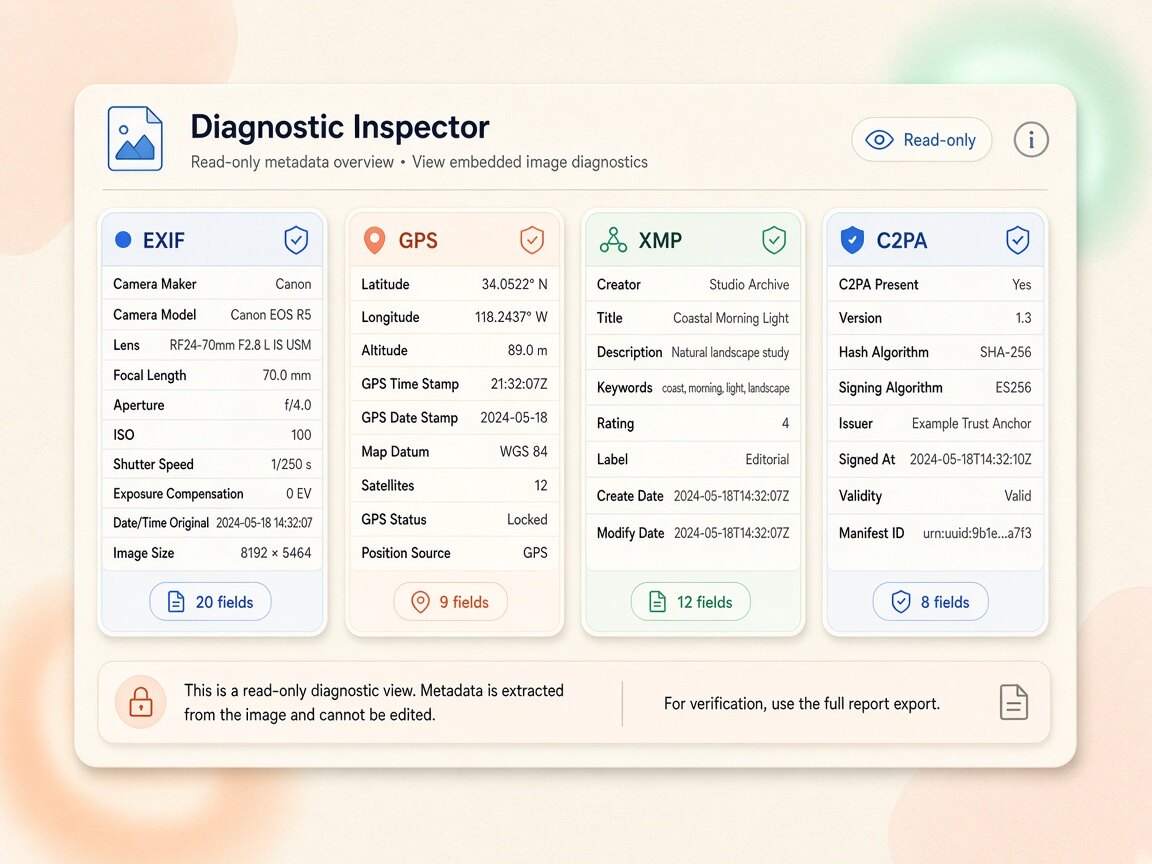
EXIF Metadata Viewer
Looking for a fast, private exif metadata viewer before publishing visuals, verifying deliverables, or auditing shared files? Media saved across JPEG, PNG, WebP, AVIF, HEIC, Camera RAW (CR2/CR3/NEF/ARW/DNG), MP4, MOV, WebM, and PDF files frequently carries unseen binary headers, creation logs, software strings, or coordinate directories inside the container wrapper. Our browser-based exif metadata viewer opens directly in read-only inspection mode (`mode="detect"`) and parses every tag on your device without uploading a single byte to any remote server. Drop up to twenty files into the queue below to run the exif metadata viewer instantly, review highlighted risk badges at the top of the table, and switch to Clean mode in one click whenever you want to strip them.
Related articles
Back to blog
Check a Photo, Then Clean the Batch
Jumping straight into a wipe wastes time when the real block is a PNG text chunk, a GPS-only EXIF field, or a file that was already clean. Read the file first.…
Oct 26, 2026

Does Cleaning Metadata Change How a Photo Looks
People worry that stripping C2PA, XMP, or EXIF will blur, compress, or recolor a JPEG before Instagram. Deleting those tags is not the same thing as…
Oct 26, 2026

EXIF, XMP, IPTC, and C2PA: What Each One Does
Image metadata is hidden data inside a JPEG or PNG, not the pixels you see. People look it up when a platform shows AI Info, when a client asks for a clean…
Oct 26, 2026

Forwards, Cloud Drives, and Schedulers Keep the Old File
Sending a photo to yourself on WhatsApp feels fast, until Instagram still shows AI Info or the image looks soft. Messengers are transcode pipelines. They are…
Oct 26, 2026